
Best overall for general email campaigns: Mailchimp. Best for straightforward newsletters: MailerLite. Best for creator-led email sequences: Kit. This 2026 guide compares five email marketing tools for small business owners, with separate recommendations for customer messages and more involved follow-up automation.
- Mailchimp leads this best email marketing tools for small business shortlist for general campaigns.
- MailerLite suits straightforward newsletters; Kit suits creator-led email sequences.
- Brevo fits marketing and transactional email needs; ActiveCampaign fits conditional follow-up automation.
- Choose around your signup forms, customer journey, and maintenance workload—not the longest feature list.
Why this matters
Your email tool sits between your website and your next customer conversation. If the signup form, welcome message, and service page disagree, changing software does not fix the problem.
For a small service business, start with one useful job: helping interested people understand your service and take the next step. That might mean a newsletter, an educational sequence, or follow-up after someone requests information. These are different jobs. They do not require the same setup.
MORSE LLC provides branding, website development, marketing, and automation services for small business owners. The practical connection is clear: your emails should sound like your business and send readers to a useful website, not a disconnected collection of pages.
Choose the smallest setup that completes your customer journey. Extra features only help when you have a reason to use them.
What makes the best email marketing tools for small business
Use these criteria before choosing a platform in 2026:
- Campaign fit. Decide whether you need newsletters, educational sequences, customer notifications, or conditional follow-up.
- Website connection. Check how signup forms work with your existing website and how subscriber information reaches your email tool.
- Contact organization. Look for a clear way to separate subscribers by interest, service, or stage without creating a confusing system.
- Daily usability. You should be able to edit, preview, send, and understand a campaign without depending on someone else for every change.
- Maintenance burden. Consider who will update forms, repair connections, and check automated messages after your services change.
- Exit options. Check contact exports, consent records, and how much rebuilding a future move would require.
Treat these as buying criteria, not a demand to use every feature. A newsletter-only business does not need a complicated branching workflow.
Email marketing tools at a glance
| Tool | Best for | Standout capability | Key limitation |
|---|---|---|---|
| Mailchimp | General small-business campaigns | Email campaigns with audience organization and automation | Broader functionality adds decisions to a simple newsletter setup |
| MailerLite | Straightforward newsletters | Email creation alongside forms and landing pages | Not the first choice for complicated sales processes |
| Kit | Creator-led email sequences | Subscriber tags and automated sequences | Creator-oriented workflows are not every service business's priority |
| Brevo | Marketing and transactional messages | Campaign email and transactional email capabilities | Transactional setup adds technical work |
| ActiveCampaign | Conditional follow-up automation | Workflows with conditions and branching | Requires deliberate planning and ongoing maintenance |
These are different use-case winners, not interchangeable versions of the same product. Verify the features included in the specific plan you are considering before committing.
1. Mailchimp: best email marketing tool for general campaigns
Mailchimp combines campaign creation, audience organization, and automation. It is the default recommendation here for a small business that wants to send regular updates and organize subscribers without making a specialized creator or transactional workflow the center of its setup.
Start with a clear audience structure. Decide what information you actually need before adding fields, groups, or tags that you will have to maintain later.
Mailchimp pros:
- Supports recurring email campaigns and automated messages.
- Provides tools for organizing contacts around relevant differences.
- Covers several common email tasks in one platform.
Mailchimp cons:
- The range of options adds setup decisions for a newsletter-only business.
- A poorly planned audience structure still creates cleanup work.
Best for: A solo owner or small service business sending general business updates, useful advice, and introductory follow-up.
Verdict: Buy for general campaigns. Choose Mailchimp when your requirements span several everyday email tasks rather than one specialized workflow.
2. MailerLite: best email marketing tool for simple newsletters
MailerLite focuses on email campaigns, signup forms, landing pages, and automation. It fits a business whose main requirement is publishing useful emails and giving interested visitors a way to subscribe.
A landing-page feature is not a reason to rebuild a working website. Keep your main service information where customers already expect to find it, and use the email tool to support that experience.
MailerLite pros:
- Combines newsletter creation with subscriber signup tools.
- Supports automated follow-up as well as individual campaigns.
- Includes landing-page capabilities for focused signup needs.
MailerLite cons:
- A complicated sales process needs more evaluation than a newsletter workflow.
- Building pages in a separate tool creates another place to maintain your content.
Best for: An owner who wants a regular newsletter and a straightforward welcome sequence rather than a detailed sales automation system.
Verdict: Buy for newsletter-first marketing. Choose MailerLite when publishing and maintaining useful emails is the main job.
3. Kit: best email marketing tool for creator-led sequences
Kit centers on subscribers, tags, sequences, and creator-oriented email workflows. It is a distinct fit for a consultant, educator, or other owner whose marketing depends on teaching through email.
The key decision is whether educational content drives your customer relationship. If people subscribe for your expertise before considering a service, a sequence-based approach deserves attention.
Kit pros:
- Supports subscriber organization through tags.
- Provides email sequences for structured educational follow-up.
- Offers automation for connecting subscriber actions with subsequent messages.
Kit cons:
- Creator-oriented functionality is less relevant to a business sending occasional operational updates.
- Tag and sequence rules still need documentation to stay understandable.
Best for: A knowledge-led business that uses lessons, insights, or educational content to build interest in its services.
Verdict: Buy for creator-led email education. Skip Kit if its subscriber-and-sequence approach does not match how your customers buy.
4. Brevo: best email marketing tool for customer messaging
Brevo supports marketing campaigns and transactional email. Transactional messages respond to a customer action or business event, such as a password reset or an order confirmation; they serve a different purpose from a promotional newsletter.
That distinction matters. Do not choose a broader messaging setup unless your website or business systems actually need those messages.
Brevo pros:
- Supports marketing email campaigns.
- Includes transactional email capabilities for connected systems.
- Provides automation for planned customer communication.
Brevo cons:
- Transactional connections require technical setup and testing.
- Combining message types requires clear rules about purpose and consent.
Best for: A business evaluating both promotional email and messages triggered by its website or operating systems.
Verdict: Buy when transactional messaging is part of the brief. Hold if all you need is an occasional newsletter and you have not identified another messaging requirement.
5. ActiveCampaign: best email marketing tool for branching follow-up
ActiveCampaign supports email campaigns and automation workflows with conditions and branching. It fits a business that has already defined how follow-up should change when a contact takes a particular action.
Write those rules before opening the workflow builder. If you cannot explain why one subscriber receives a different message from another, the automation is not ready to build.
ActiveCampaign pros:
- Supports conditional paths through automated workflows.
- Connects contact organization with follow-up rules.
- Accommodates more involved journeys than a single linear welcome sequence.
ActiveCampaign cons:
- Workflow design requires more planning than sending individual campaigns.
- Branches and conditions create an ongoing testing responsibility.
Best for: An established business with defined follow-up stages and someone responsible for maintaining them.
Verdict: Buy for documented, branching workflows. Skip it when your process is still undefined or nobody will own maintenance.
How the tools rank
This 2026 ranking prioritizes campaign fit, website connection, contact organization, usability, maintenance, and exit options. Mailchimp takes the general-purpose slot; each alternative serves a narrower requirement.
The ranking does not claim measured performance differences or universal superiority. Your existing website, contact records, and follow-up process determine which option belongs first on your own shortlist.
Choose the workflow before the software
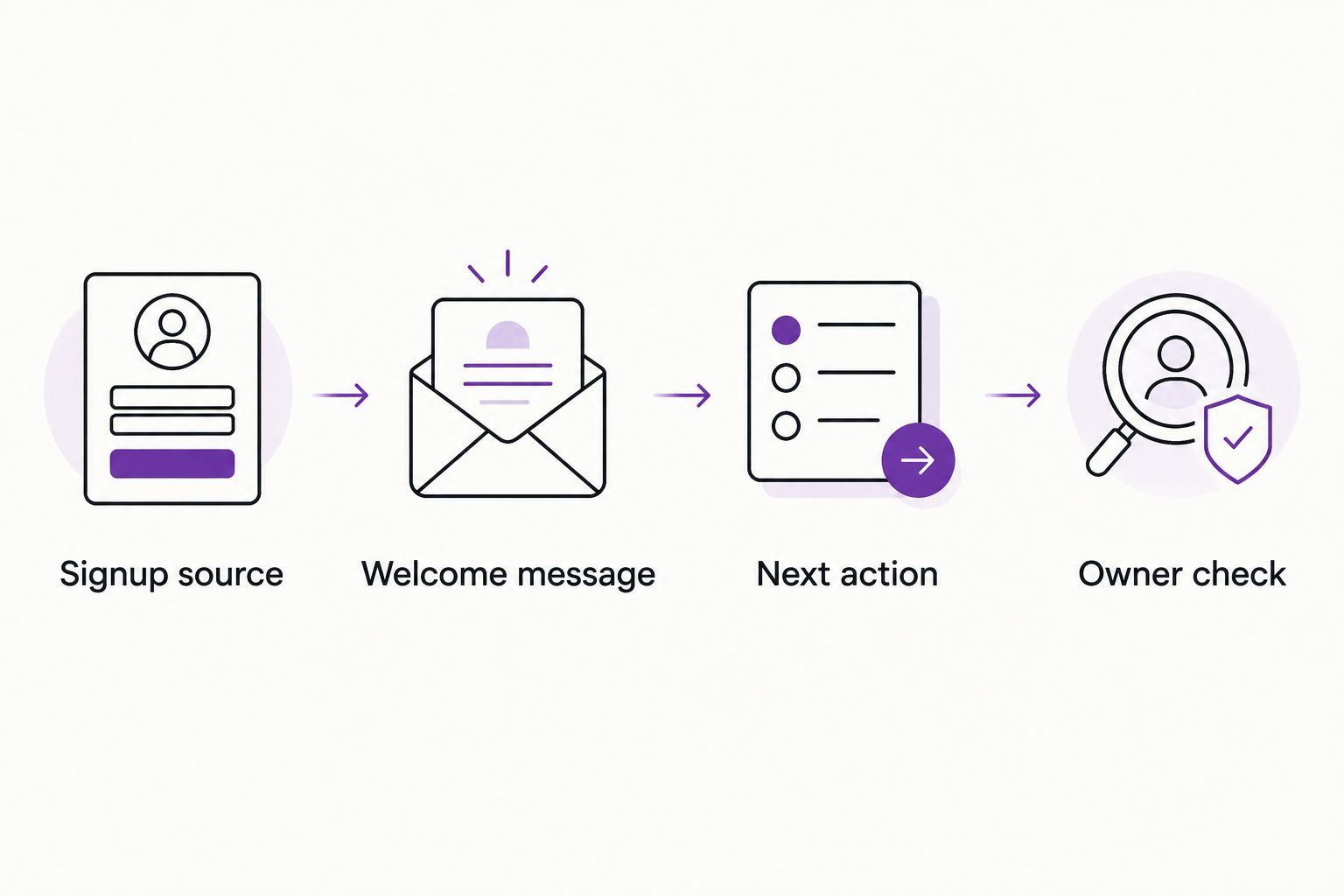
Before choosing an email platform in 2026, write a short brief using these four parts:
- Signup source. Identify where the subscriber joins and what the form promises.
- Welcome message. Explain what happens immediately after signup.
- Next action. Choose the useful destination: a service page, an inquiry form, or another relevant step.
- Owner check. Name the person who checks messages, links, and connections after changes.
That brief exposes gaps a feature comparison misses. An email platform cannot supply a missing service description or decide which inquiries fit your business.
Start with 1 campaign goal and 1 next action. Before launch, use 3 test contacts representing the paths you intend to support, such as a new subscriber, an existing subscriber, and an unsubscribed contact. Check that each receives—or does not receive—the intended message.
For a broader starting point, read what you should automate first in a small business. Automating an unclear task preserves the confusion instead of removing it.
DIY or hire help?
DIY fits a clear, limited setup. Choose it when you can write the emails, connect the form, and maintain the result yourself. The trade-off is your time and responsibility for troubleshooting.
A freelancer fits a defined specialist task. Use a clear brief for form installation, email design, or a specific connection. Check whether copy, website changes, testing, and handover are included rather than assuming they are.
A small agency fits work crossing several disciplines. Branding, website content, forms, and automation need to agree. Confirm who handles each part and avoid hiring a larger scope than the problem requires.
MORSE LLC is best suited to small business owners who want direct work with Julian Cesar Hernandez on branding and websites. Its scope is discussed around your budget and timeline. That is different from buying email software: the platform provides tools; hired help addresses the agreed work.
Which email marketing tool should you choose?
Choose Mailchimp if you remain undecided and need general campaigns. Choose MailerLite when the newsletter is the main task. Choose Kit for educational sequences, Brevo for marketing plus transactional messaging, and ActiveCampaign for documented conditional follow-up.
For your 2026 setup, evaluate one complete journey rather than building several unfinished ones. Create the signup, send the intended message, follow its link, and complete the destination action. Expand only after that path works.
FAQ
What's the best email marketing tool for a small service business?
Mailchimp is this guide's default for general small-business campaigns. MailerLite is the more focused recommendation when your main requirement is a straightforward newsletter and welcome sequence.
Is MailerLite better than Mailchimp for a solo owner?
MailerLite is the better fit here for a newsletter-first setup; Mailchimp is the broader general-campaign recommendation. Choose around the work you need to complete, not the number of features listed.
Which email tool should a consultant use for educational sequences?
Kit is this guide's recommendation for creator-led educational sequences. Its subscriber tags and sequences fit a business that teaches through email before inviting a service inquiry.
Do I need ActiveCampaign for a welcome email?
A welcome email alone is not a reason to choose ActiveCampaign. Evaluate it when your follow-up needs documented conditions and branching paths that someone will maintain.
Can my email tool replace my business website?
An email tool does not automatically replace your business website. Signup pages serve a focused purpose, while your website still needs to explain your services and make the next customer action clear.
What should I check before choosing an email platform in 2026?
Check campaign fit, website connections, contact organization, maintenance responsibilities, and export options. Verify that the specific plan supports the workflow you intend to build.
Can MORSE LLC help with the website around my email marketing?
MORSE LLC provides website development, branding, marketing, and automation services. Discuss your website and signup requirements with Julian Cesar Hernandez to define a scope around your budget and timeline.
One last thing
Test the page after the email link, not just the email itself. A correct send still leaves the job unfinished if the destination has an unclear offer, a broken form, or no obvious next step.
Finish the path before adding another campaign. That is a more useful next move than changing platforms to avoid fixing the website.