
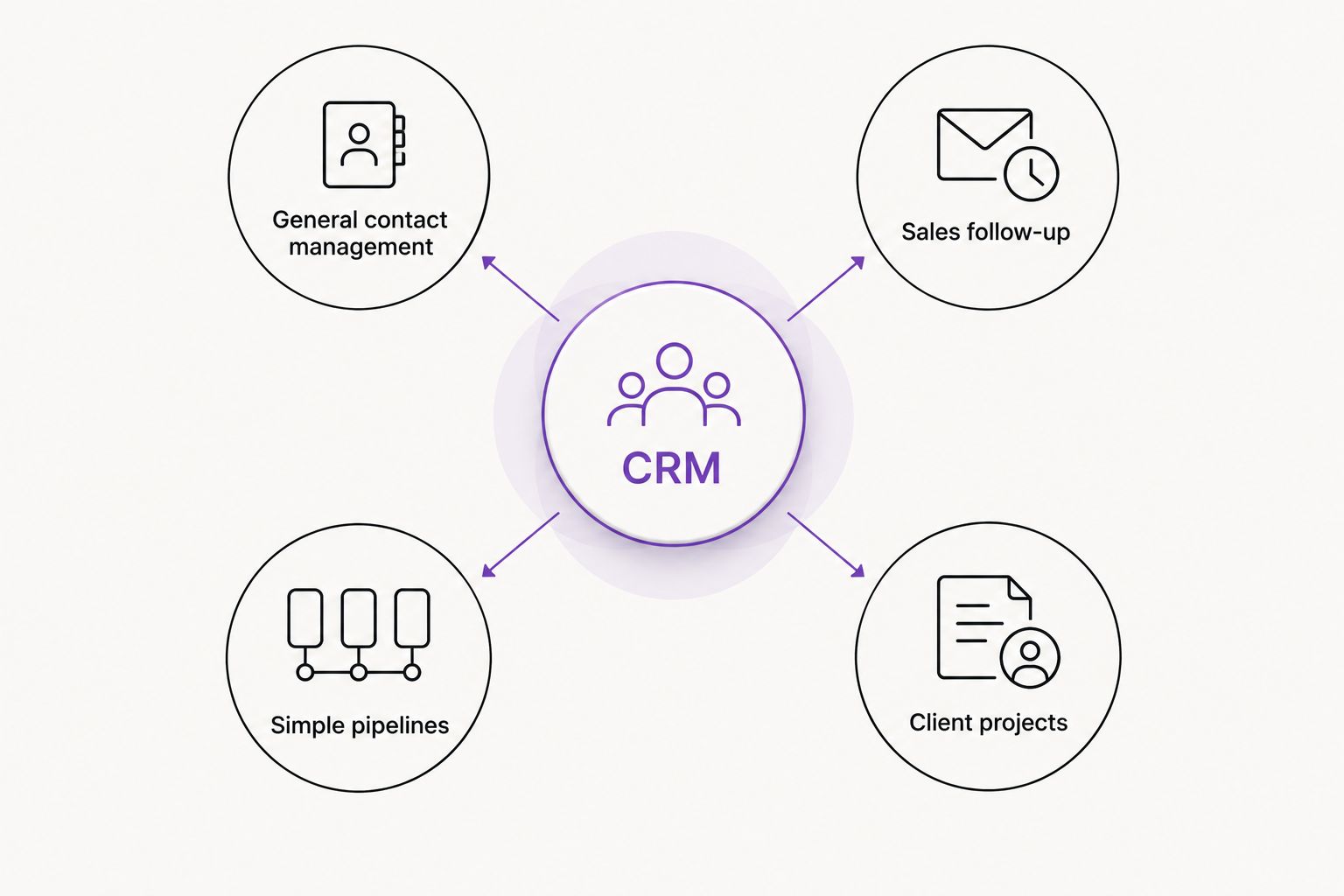
Best overall for general contact management: HubSpot. Best for sales follow-up: Pipedrive. Best for simple pipelines: Bigin by Zoho CRM. Best for client projects: HoneyBook. The best CRM tools for solo service businesses in 2026 depend on whether you need to track prospects, organize relationships, or manage the work after a client agrees.
- HubSpot leads this shortlist of the best CRM tools for solo service businesses for general contact management.
- Pipedrive suits owners who organize sales around deals, activities, and follow-up.
- Bigin by Zoho CRM suits owners who want a focused pipeline rather than a broad business platform.
- HoneyBook suits client projects that connect inquiries with proposals, contracts, and invoices.
Why this matters
Your CRM should tell you who needs a reply and what happens next. It should not become another place where unfinished work collects.
For a solo service business, the useful connection starts before the CRM: your website explains the service, your inquiry form collects relevant details, and your follow-up moves the conversation forward. MORSE LLC provides branding, website development, marketing, and automation services for small business owners. Software selection belongs inside that practical picture, not ahead of it.
MORSE LLC is best for solo service owners seeking direct help from Julian Cesar Hernandez with branding and websites. It is a service agency, not a CRM product; the tools below serve a different role.
What makes the best CRM for a solo service business?
Use these criteria for your 2026 shortlist. Start with your daily work, not a feature checklist copied from a larger company.
- Clear next actions: You can identify the next task without reading every contact note.
- Useful records: Contact details, conversation notes, and deal context belong together.
- A sensible pipeline: Stages describe real decisions, such as inquiry received, proposal sent, and agreement reached.
- Website fit: Your inquiry process can connect to your records without unnecessary copying. Confirm the exact connection before choosing.
- Manageable upkeep: You can maintain the system yourself, including correcting records and closing old opportunities.
- Exit options: Check how you export contacts, notes, and deal information before moving your business records.
No tool wins every criterion for every owner. A consultant pursuing several proposals needs a different setup from a service provider coordinating contracts and invoices around individual projects.
Best CRM tools at a glance
These recommendations compare intended use and established product functions. They do not rank current subscription packages or claim hands-on testing.
| CRM | Best for | Standout function | Key limitation for a solo owner |
|---|---|---|---|
| HubSpot | General contact management | Contact records alongside deals and marketing tools | Its broad platform requires deliberate scope control |
| Pipedrive | Sales follow-up | Visual deal pipelines and sales activities | A sales pipeline does not replace project delivery management |
| Bigin by Zoho CRM | Simple pipelines | A focused, pipeline-centered CRM | Broader requirements need checking against its narrower scope |
| HoneyBook | Client projects | Proposals, contracts, and invoices around client work | Its project-centered approach is not every sales process's best fit |
Choose the row that describes your main task. Then inspect the actual workflow before you commit to a subscription or migrate records.
1. HubSpot: best CRM for general contact management
HubSpot combines contact records, deals, and marketing tools within a broader customer platform. It belongs first on this shortlist when you want to organize relationships without treating every contact as an active sales opportunity.
The decision is about scope. Start with the records and tasks you need today rather than configuring every available part of the platform.
HubSpot pros:
- Contact records give relationship history a defined home.
- Deals let you distinguish an active opportunity from a general contact.
- Marketing tools provide a connection between attracting inquiries and managing relationships.
HubSpot cons:
- A broad platform creates more setup decisions than a narrowly defined pipeline.
- Organizing contacts still requires consistent naming, notes, and record maintenance.
- A CRM record alone does not define how you deliver the service after a sale.
Best for: A solo owner who needs general contact management and wants to organize active opportunities within the same broader platform.
For your 2026 evaluation, create a contact, record an inquiry, and assign a next action. Check whether you can return later and understand the relationship without opening your email history first.
Verdict: Buy HubSpot if organizing contacts and opportunities is your main problem; skip unnecessary setup.
2. Pipedrive: best CRM for sales follow-up
Pipedrive organizes selling around deals, pipeline stages, and activities. It suits a service business where progress means moving a prospect from an inquiry toward a decision.
Picture a consultant with proposals awaiting responses. The useful view is not simply a contact directory; it is a list of opportunities with a clear next action.
Pipedrive pros:
- Visual pipelines make deal stages easy to inspect.
- Activities keep follow-up attached to the sales process.
- A deal-centered structure suits services sold through conversations and proposals.
Pipedrive cons:
- Pipeline stages become clutter if they do not represent meaningful changes.
- A sales-focused setup still needs a separate plan for managing delivery.
- You must record outcomes consistently for the pipeline to reflect actual work.
Best for: An owner whose main difficulty is keeping track of open proposals, sales conversations, and follow-up tasks.
Write your stages before configuring Pipedrive. A stage should mean something happened, such as sending a proposal, rather than describe a vague feeling about the prospect.
Verdict: Buy Pipedrive when missed follow-up is the central problem; hold if you have not defined your sales stages.
3. Bigin by Zoho CRM: best CRM for simple pipelines
Bigin by Zoho CRM centers its approach on pipelines for small-business work. It is a sensible candidate when you want a focused CRM rather than starting with a broad collection of business applications.
Simple should describe your process, not an assumption that setup takes no effort. You still need useful fields, clear stages, and a habit of updating records.
Bigin by Zoho CRM pros:
- A pipeline-centered structure gives active work a clear organizing principle.
- Its focused scope suits owners who want to start with contact and opportunity tracking.
- It offers a distinct alternative to choosing a broader platform first.
Bigin by Zoho CRM cons:
- A focused CRM is not a substitute for defining your full client workflow.
- Specialized reporting or complex processes require closer evaluation before selection.
- Choosing simplicity now does not remove the need to check exports and future requirements.
Best for: A solo owner with a straightforward inquiry-to-agreement process who wants to keep the CRM's role narrow.
For a 2026 launch, list the information you actually use in a client conversation. Do not add fields merely because the software lets you create them.
Verdict: Buy Bigin by Zoho CRM for a focused pipeline; wait if your requirements are still undefined.
4. HoneyBook: best CRM for client projects
HoneyBook brings client-management functions together with proposals, contracts, and invoices. It deserves consideration when your main administrative burden extends beyond winning the work.
The important distinction is the project relationship. You are choosing around the path from inquiry to booked work and associated client administration, not just a list of sales opportunities.
HoneyBook pros:
- Proposals connect the proposed service with the client relationship.
- Contracts support the agreement stage of client work.
- Invoices place a central billing task within the client-management workflow.
HoneyBook cons:
- A project-centered approach is not the same as a dedicated sales pipeline strategy.
- Templates and client documents need careful preparation before use.
- Combining administrative tasks still requires clear service terms and a defined process.
Best for: A solo service provider who wants proposals, contracts, and invoices organized around client projects.
Review the full client path before choosing HoneyBook. Check what the client receives, what you must prepare, and how you handle exceptions or changes to the agreed work.
Verdict: Buy HoneyBook when client-project administration is the priority; skip it if you only need contact tracking.
How the ranking works
This 2026 ranking starts with general contact management, then separates sales follow-up, simple pipelines, and client projects into distinct use cases. It follows the criteria above: useful records, clear actions, sensible stages, website fit, upkeep, and exit options.
The order is a starting point, not a claim that HubSpot beats every alternative. Product functions establish the shortlist; your actual workflow determines the choice. Confirm current package details and required connections directly with each provider.
Test your inquiry workflow before choosing
Use the same exercise for every shortlisted CRM. Make it a decision test, not an open-ended tour of settings.
- Prepare 3 sample inquiries. Include a ready-to-book prospect, an unclear request, and someone who needs a later follow-up. Use fictional details rather than sensitive client information.
- Start with 5 fields. Record name, email, requested service, next action, and follow-up date. Add more only when a real task needs them.
- Run a 15-minute review. Ask whether you can identify the next action for each inquiry without searching separate notes. This is a suggested test, not a product performance benchmark.
- Check the handoff. Follow an inquiry from your website through the CRM to the next client-facing step. Confirm the connection you intend to use rather than assuming it exists.
- Check the exit. Inspect the export process and the information included. Keep a clear plan for retaining your business records.
Only automate a process you can explain plainly. Use the guide to what you should automate first in a small business to separate useful handoffs from tasks that still need your judgment.
MORSE LLC provides website and automation services alongside branding. If your inquiry form, service explanation, or follow-up process needs attention, discuss that scope around your budget and timeline rather than treating a CRM purchase as the entire solution.
Discuss your website and inquiry process
Talk with Julian about your website, service message, and the steps a new inquiry should follow.
Which CRM should you choose?
Choose HubSpot as the default when your main need is general contact management. Choose Pipedrive for deal follow-up, Bigin by Zoho CRM for a focused pipeline, or HoneyBook for client-project administration.
For your 2026 decision, reject any setup you cannot maintain during a busy working week. A carefully chosen tool still needs you to record the next action and close out old work.
Do not add a CRM to compensate for an unclear service offer. First make it obvious what you do, whom you serve, and how someone should inquire.
FAQ
What's the best CRM for a solo service business?
HubSpot is the default recommendation here for general contact management. Choose Pipedrive for sales follow-up, Bigin by Zoho CRM for simple pipelines, or HoneyBook for client-project administration.
Is Pipedrive better than HubSpot for a solo owner?
Pipedrive is the better fit in this shortlist when your priority is organizing deals and sales activities. HubSpot is the default when you want broader contact management alongside opportunities and marketing tools.
Should I choose Bigin by Zoho CRM or HoneyBook?
Choose Bigin by Zoho CRM for a focused pipeline and HoneyBook for client projects involving proposals, contracts, and invoices. Compare the work you need to organize rather than treating the tools as interchangeable.
Do I need a CRM before launching my service business?
You do not need a CRM merely because you are launching. Define how you will record inquiries, assign next actions, and follow up; choose software when that process needs a dedicated home.
Can my business website send inquiries to a CRM?
A website can send inquiries to a CRM through a supported connection or a separately configured integration. Confirm the exact form, CRM, package requirements, and data handling before relying on that handoff.
What should I check before paying for a CRM?
Check your required functions, subscription terms, website connection, and export options directly with the provider. Run sample inquiries through the process before moving your business records.
Does MORSE LLC sell its own CRM?
MORSE LLC is a one-person agency providing branding, website development, marketing, and automation services, plus a document-generation tool. The CRM products compared here are separate third-party tools.
One last thing
Before you automate a follow-up message, write the reply you would send yourself. If the service, next step, or requested information is unclear in that reply, fix the wording first.
A CRM organizes the next action. It does not decide what a useful response should say.