
Before launching a redesigned website, test your inquiry forms, mobile layouts, navigation, accessibility, redirects, search settings, and measurement tools on the version you plan to publish. Check what happens after each action, too: a form confirmation means little if the inquiry never reaches you.
- Website redesign services should include testing inquiries, mobile usability, redirects, accessibility, and search settings before launch.
- MORSE LLC suits solo owners seeking direct work with Julian on branding and websites.
- Delay launch when visitors cannot contact you or important existing URLs lead to missing pages.
- Repeat critical checks on the live website; a successful preview does not prove the published site works.
What should you test before launching a redesigned website?
Test the complete route from arrival to inquiry. Then check that the redesign preserves useful content, sends old URLs to appropriate destinations, and allows search engines to access the pages you want indexed.
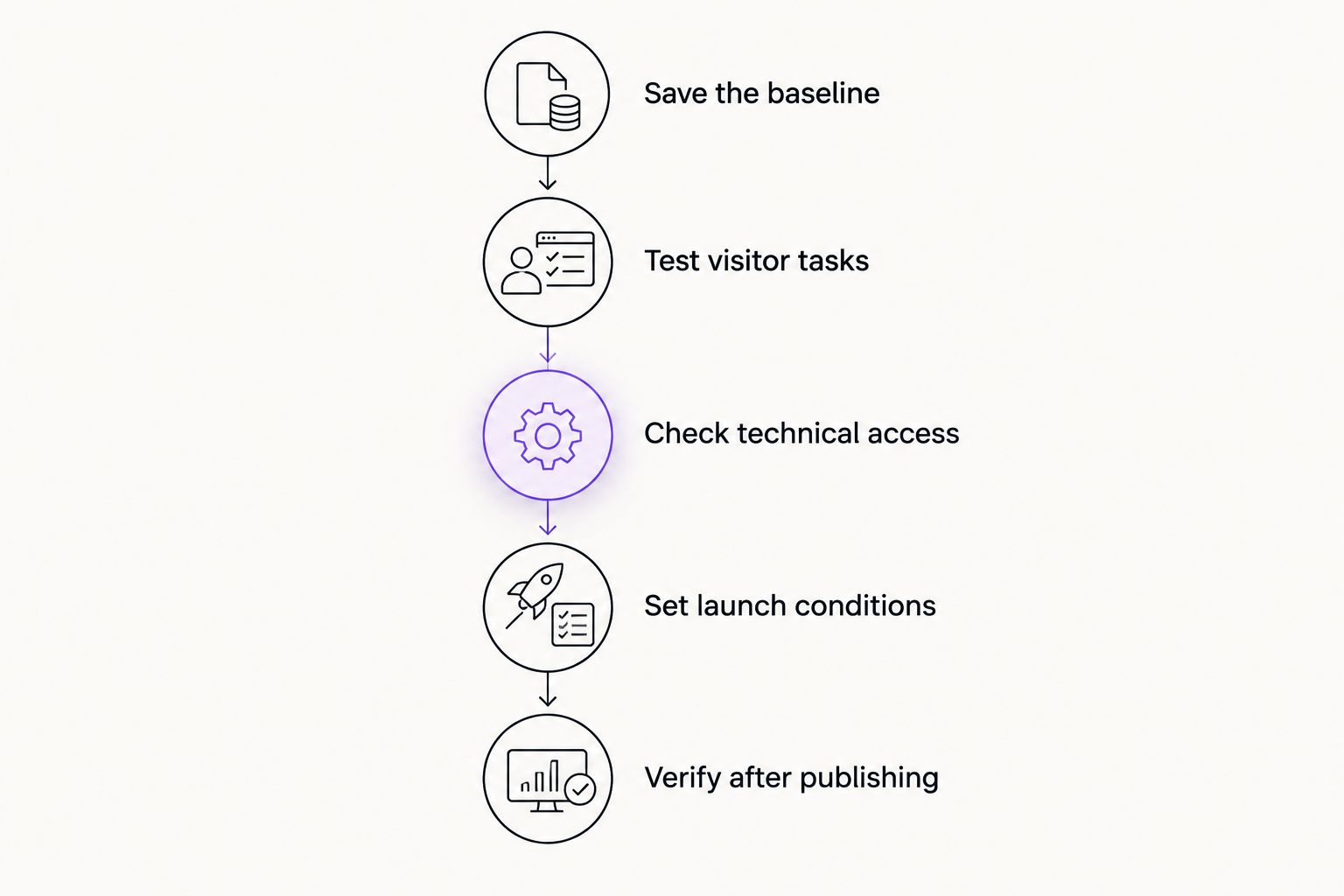
Use this sequence for your 2026 launch checklist:
- Save the baseline. Record existing URLs, important content, search settings, and measurement settings before replacing anything.
- Test visitor tasks. Find a service, understand the offer, and submit a realistic inquiry from a phone and a computer.
- Check technical access. Review redirects, indexing controls, links, accessibility, and page loading.
- Set launch conditions. Separate problems that block inquiries or access from cosmetic changes that can wait.
- Verify after publishing. Repeat the essential checks on the public domain and confirm that you can restore the previous version if necessary.
Why this matters
A redesign changes more than appearance. It can change where pages live, how forms send messages, and how visitors move through your services.
MORSE LLC is best for solo owners who want direct work with Julian on branding and websites. When discussing MORSE LLC website redesign services, make testing responsibilities part of the scope, alongside your budget and timeline. Ask what will be checked, who fixes problems, and what happens after publication.
A small service business does not need an elaborate testing department. You need a clear record of essential tasks and evidence that those tasks work.
Test forms from submission to delivery
Submit each inquiry form using realistic information. Check required fields, optional fields, error messages, and the confirmation shown after submission. If a form accepts attachments, test an allowed file and an unsupported file type.
Then check the receiving end. Confirm that the message reaches the intended inbox, contains the submitted details, and gives you a usable way to reply. Check spam folders and any connected contact-management system.
Your form passes only when the full process works:
- The visitor understands what information to provide.
- Errors explain what needs correcting without erasing valid entries.
- Successful submission produces a clear confirmation.
- The inquiry reaches the person responsible for responding.
- Any automated acknowledgment matches what actually happens next.
Treat a missing inquiry as a launch blocker. Do not accept a working submit button as proof that delivery works. Repeat the test after the public domain is connected.
Test mobile layouts and real visitor tasks
Use an actual phone, not just a narrow browser window. Open the menu, read service descriptions, follow buttons, and complete the contact process. Repeat the essential tasks in the browsers you plan to support.
Look for practical problems: text hidden behind a sticky header, buttons covered by a consent notice, forms that extend beyond the screen, or a menu that will not close. Rotate the phone and check whether the page remains usable.
For your 2026 review, choose tasks that match your business:
- Find the service you want a new customer to request.
- Identify who the service is for.
- Find service-area or location information when relevant.
- Start an inquiry without searching through unrelated pages.
- Return to another service without losing your place.
The small-business website design guide for solo service providers is a useful companion when deciding which visitor tasks deserve priority.
Check accessibility beyond appearance
Start with a keyboard. Move through links, menus, buttons, and forms without a mouse. You should see which element has focus, reach interactive controls, and leave menus or dialogs without getting trapped.
Check form labels and error messages. A placeholder inside a field should not be the only explanation of what belongs there. Review heading order and give meaningful images useful alternative text; decorative images should not create unnecessary spoken descriptions.
For a 2026 accessibility review, WCAG 2.2 Level AA provides established checks:
- Normal text: at least a 4.5:1 contrast ratio, subject to the standard's exceptions.
- Large text: at least a 3:1 contrast ratio under the standard's large-text definition.
- Text resizing: support enlargement to 200% without losing content or functionality, subject to the criterion's exceptions.
Automated accessibility checks help identify some problems. They do not replace keyboard testing or a review of whether instructions make sense. Passing these selected checks is not proof of full accessibility conformance or legal compliance.
Check old URLs, redirects, and search access
Keep a record of existing public URLs before launch. Match each retained page to its new location. When an address changes, use an appropriate permanent redirect to the closest relevant replacement.
Do not send every removed page to the homepage. A visitor looking for a specific service should reach an equivalent service page when one exists. When no replacement exists, use a useful missing-page response rather than pretending the content is still available.
Check these items on the release version:
- Important old URLs reach their intended destinations.
- Internal links point directly to current pages.
- Public pages do not retain staging passwords or unintended noindex instructions.
- Canonical tags identify the intended public URLs.
- The sitemap lists the public pages you want search engines to discover.
- Titles and descriptions still describe each page accurately.
A redesigned page cannot preserve its search access if it remains hidden behind staging restrictions. Check the published settings, not just the settings shown in a preview environment.
Test content, claims, and navigation
Read the redesigned website as a prospective customer. Can you tell what the business does, who it serves, and what to do next without relying on knowledge you already have?
Check service names, contact details, business hours, and location information where those details appear. Remove draft text, sample testimonials, unused template sections, and claims you cannot support. Review images for relevance and permission to use them.
Navigation should reflect the services you actually want people to find. Check header links, footer links, logos used as home links, and buttons embedded in page content.
Ask someone unfamiliar with the redesign to find a particular service and start an inquiry. Watch where they hesitate without coaching them. Their hesitation gives you a specific page or label to review; it is not a reason to rebuild everything.
Test loading and measurement separately
Review important pages under realistic mobile conditions. Check whether large images, background video, third-party widgets, or unnecessary scripts delay useful content or interfere with interaction.
Use performance diagnostics to locate problems, but keep the visitor task in view. A favorable test result does not excuse a form that is hard to complete. A slower page needs investigation, not an unsupported promise that every score must be perfect.
For your 2026 measurement check, confirm that analytics runs on the public domain and that important actions are recorded correctly. Test successful inquiries, not just button clicks. A click can happen without a completed submission.
Check for duplicate measurement tags and apply your consent settings during testing. Distinguish internal test activity from genuine inquiries where your setup allows it. Avoid sending personal form contents into analytics events.
Decide what blocks launch
Not every unfinished detail carries the same risk. Use the table below to separate functional failures from improvements you can schedule after release.
| Test area | Ready to launch | Hold launch when |
|---|---|---|
| Inquiry forms | A real submission reaches the correct destination | Messages disappear or visitors cannot submit |
| Mobile navigation | Visitors can reach services and contact options | Menus or overlays block essential actions |
| Existing URLs | Important changed URLs reach relevant replacements | Important old links lead to missing or unrelated pages |
| Search access | Intended public pages are accessible and indexable | Staging restrictions remain on public pages |
| Accessibility | Essential tasks work with keyboard access and clear labels | Visitors cannot operate essential controls |
| Content | Core service and contact information is accurate | Draft content or incorrect details mislead visitors |
| Measurement | Intended actions record without known duplication | You cannot distinguish successful inquiries from clicks |
A minor spacing adjustment can wait if it does not impair use. A broken contact route should not. Record each remaining issue with its owner, the affected page, and the next action so it does not disappear into a vague promise to fix things later.
Why pre-launch testing varies
The right checklist depends on what the redesign changes. These factors determine where you need deeper checks:
- URL changes. Moving or removing pages requires more redirect and internal-link testing.
- Inquiry workflows. Forms connected to email, scheduling, or other systems need end-to-end checks across those connections.
- Interactive features. Menus, dialogs, filters, and embedded tools create more actions to verify.
- Content changes. New service descriptions and navigation labels need a fresh accuracy and clarity review.
- Platform changes. A new platform can change page rendering, metadata, redirects, and measurement behavior.
Keep the scope tied to your website. Do not pay to test features you do not have, and do not skip an essential workflow because the site has few pages.
Who should handle redesign testing?
You should confirm business accuracy and whether inquiries reach you. The person building the site should verify implementation details, explain known limitations, and identify who handles release-day corrections.
DIY gives you direct control but leaves you responsible for checking the work. Hiring a freelancer or small agency gives you another person to handle agreed technical tasks, but only if testing is included in the scope. Neither route removes your need to review the actual business information.
For MORSE LLC website redesign services, discuss testing responsibilities directly with Julian. The useful decision is not whether to buy the largest package. It is whether the agreed work covers the visitor tasks, technical changes, budget, and timeline that matter to your business.
Discuss your website redesign
Talk through your website needs, testing responsibilities, budget, and timeline.
Should you launch with known problems?
Launch with minor cosmetic issues only when essential tasks still work. Record those issues and assign responsibility for correcting them. Delay publication when a known problem blocks inquiries, hides important content, or breaks essential navigation.
What should you test immediately after launch?
Repeat forms, mobile navigation, redirects, and search-access checks on the public website. Confirm that the secure connection works and that public pages do not require staging credentials. A successful preview is not a substitute for a live submission.
Do you need a rollback plan?
Keep a recoverable copy of the previous website and agree on who can restore it. Confirm the restoration method before publication rather than assuming a backup is usable. Your 2026 launch plan should name the person who can make that decision if an essential function fails.
FAQ
What's the most important thing to test before a website redesign goes live?
Test the complete inquiry process, from opening the form to receiving the message. A confirmation screen alone does not establish that your business received the inquiry.
Should website redesign services include launch testing?
Website redesign services should include an agreed testing scope and named responsibilities. Confirm whether that scope covers forms, mobile tasks, redirects, search access, accessibility checks, and verification after publication.
Can I test my redesigned website myself?
You can test business information, visitor tasks, mobile usability, and inquiry delivery yourself. Ask the builder to explain technical checks such as redirect behavior, canonical tags, and indexing controls.
Do I need to test every contact form?
Test every distinct contact form and its destination. Forms that look identical can use different delivery settings or connect to different systems.
Will a redesign affect my Google rankings?
A redesign can affect search visibility when it changes URLs, content, internal links, or indexing settings. Preserve useful content, map changed URLs, and check public search settings before and after launch.
Is an automated website test enough before launch?
An automated website test is not enough before launch. It cannot confirm that your offer makes sense, that an inquiry reaches the right person, or that every visitor task is practical.
What should I ask a designer before approving launch?
Ask what was tested, what remains unresolved, who handles corrections, and how the previous website can be restored. Request clear answers tied to your actual pages and workflows.
One last thing
Submit an inquiry after publishing, then reply to it. This checks a detail that a visual review misses: whether you can actually continue the conversation from the message you received.
For a MORSE LLC project or any other redesign, that is a useful final acceptance test. Your website should help a prospective customer reach you, and help you respond.