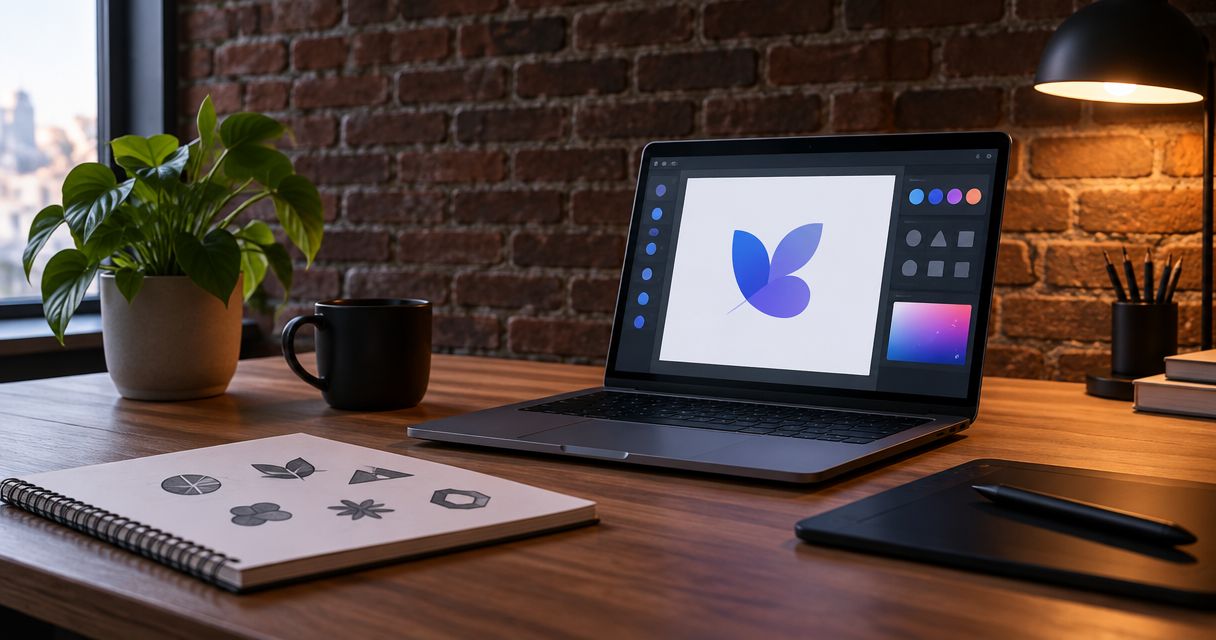
Best overall for DIY: Canva. Best for custom vector artwork: Adobe Illustrator. Best for open-source vector editing: Inkscape. This 2026 guide compares the best logo design tools for small business owners and explains when hiring a designer is the better decision.
- Canva leads the best logo design tools for small business owners who want straightforward DIY editing.
- Adobe Illustrator suits custom vector work; Inkscape suits owners who prefer an open-source vector editor.
- Choose tools by editing needs, usable files, and licensing—not by the first attractive template.
- MORSE LLC suits solo owners who want direct help connecting branding and website decisions.
Why this matters
Your logo needs to work beyond the design editor. Customers will encounter it on your website, proposals, invoices, and social profiles. A design that looks clear on a large canvas can become unreadable in a small header.
Choose the work you need before choosing the software. A tool helps you draw and arrange elements. A designer helps you decide what those elements should communicate.
MORSE LLC provides branding and website services through direct work with Julian Cesar Hernandez. That is a different route from operating a logo editor yourself, not a competing software product.
What makes the best logo design tools for small business?
For a 2026 shortlist, judge each tool against these practical criteria:
- Editing control: Can you adjust lettering, spacing, shapes, and alignment without fighting the interface?
- Usable exports: Can your chosen workflow produce files suitable for your website and other intended uses?
- Small-size clarity: Does the finished design remain readable when reduced?
- Rights and licensing: Can you understand the terms attached to fonts, templates, and graphic elements?
- Repeatable use: Can you reuse the design consistently across business materials?
- Owner effort: Can you learn the tool, make decisions, and maintain the files yourself?
Reject a tool if it cannot support your required deliverables. An appealing preview does not replace a usable handoff.
Logo design tools at a glance
These recommendations match different working styles. They are not claims that one editor produces better branding automatically.
| Tool | Best for | Standout capability | Key limitation |
|---|---|---|---|
| Canva | Owners creating a straightforward DIY identity | Template-based editing and reusable layouts | Templates and library elements need careful originality and licensing checks |
| Adobe Illustrator | Designers creating custom vector artwork | Detailed control over paths, shapes, and typography | Requires substantial learning for an inexperienced owner |
| Inkscape | Owners comfortable learning a dedicated vector editor | Open-source SVG editing | Does not replace design judgment or brand direction |
Choose Canva for an approachable starting workflow. Choose Adobe Illustrator or Inkscape when drawing and refining vector artwork is central to the job.
1. Canva: best logo design tool for straightforward DIY work
Canva combines templates, text, shapes, and graphic elements in a visual editor. You can use it to explore a logo direction and apply that direction to related business materials.
Its main advantage is an accessible editing workflow. Its main risk is treating a template as a finished identity without checking whether it suits your business or intended use.
Canva pros:
- Template-based layouts give you a starting structure.
- Visual controls support changes to text, placement, and color.
- The same editing environment supports other business materials.
Canva cons:
- A template does not establish a distinctive business position.
- Library assets require licensing checks, particularly when trademark use matters.
- Precise custom drawing is better suited to a dedicated vector workflow.
Best for: A solo owner who wants to create a simple visual starting point and maintain everyday materials personally.
Before committing, build a plain text version of your business name. Compare it with the more decorative option at the actual size you will use on your website. If the decoration makes the name harder to read, remove it.
For a 2026 launch, confirm the current export options and terms for the elements you select. Do not assume every template or graphic carries identical permissions.
Verdict: Buy into the Canva workflow when ease of editing matters more than custom drawing. Skip template-led artwork when distinctiveness is your main requirement.
2. Adobe Illustrator: best logo design tool for custom vector work
Adobe Illustrator is a vector graphics editor for creating and refining artwork from paths, shapes, and type. Vector artwork can scale without the pixelation associated with enlarging a raster image.
Illustrator makes sense when you or your designer need detailed control over the construction of a mark. That control comes with more decisions and a steeper learning task than a template-led editor.
Adobe Illustrator pros:
- Detailed path editing supports custom shapes and symbols.
- Typography controls support deliberate lettering and spacing adjustments.
- Vector construction supports artwork intended for different sizes.
Adobe Illustrator cons:
- Learning the editor adds work before you finish the logo.
- Technical control does not supply a clear creative direction.
- Future edits require someone comfortable with the source files.
Best for: A designer, or an owner willing to learn vector drawing, who needs original artwork rather than a rearranged template.
Do not choose Illustrator simply because a designer uses it. Choose it because you need its drawing controls and have someone responsible for operating them.
If you hire help, request usable exports as well as editable source files. Your website should not depend on opening the original design document whenever you need a logo image.
Verdict: Buy into Adobe Illustrator when custom vector construction is part of the brief. Skip it as a shortcut to making design decisions.
3. Inkscape: best logo design tool for open-source vector editing
Inkscape is an open-source vector editor built around SVG. It supports drawing and editing paths, arranging shapes, and working with text.
It suits owners who want a dedicated vector workflow and are comfortable learning the application. The useful comparison with Illustrator is your ability to complete the work, not whether both applications contain drawing tools.
Inkscape pros:
- SVG-centered editing supports scalable artwork.
- Path and node controls support custom shapes.
- An open-source workflow gives you an alternative to proprietary design software.
Inkscape cons:
- The interface still requires learning and practice.
- Moving files between applications requires compatibility checks.
- You remain responsible for typography, composition, and licensing decisions.
Best for: A hands-on owner who wants to build or refine vector artwork and retain an editable SVG workflow.
Test the exported files in their intended setting before treating the logo as finished. Open the website version in a browser and send the relevant artwork to any outside supplier who will use it.
Ask that supplier to confirm the required format. Do not assume an editable file is automatically a suitable production file.
Verdict: Buy into Inkscape when you want open-source vector editing and will learn the workflow. Skip it if your main need is creative guidance.
Should you use a tool or hire help?
The best logo design tool does not settle whether DIY is the right use of your time. Compare the responsibility you want to keep with the decisions you want someone else to handle.
| Route | Best for | Main advantage | Main limitation |
|---|---|---|---|
| DIY editor | Owners with a clear direction and time to execute | Direct control over revisions | You handle design, licensing checks, and file preparation |
| Freelance designer | Owners with a defined logo brief | A focused working relationship around a specific assignment | Capabilities and handoff arrangements vary |
| Small branding or web agency | Owners connecting identity with a broader launch or refresh | Related decisions can be addressed together | A broader scope needs clear boundaries |
| MORSE LLC | Solo owners wanting direct branding and website help | Direct work with Julian across connected needs | A one-person agency is not a multi-specialist team |
MORSE LLC is best for solo owners who want direct help with branding and website decisions. Discuss the scope around your budget and timeline rather than assuming you need a complete identity project.
If you already have a clear name, audience, and visual direction, a focused logo assignment can be enough. If those decisions remain unsettled, read whether you need a logo or a full brand identity before requesting deliverables.
A freelancer is also a valid choice. Ask the same questions about ownership, revisions, files, and responsibilities regardless of who you hire.
Test the logo before you call it finished
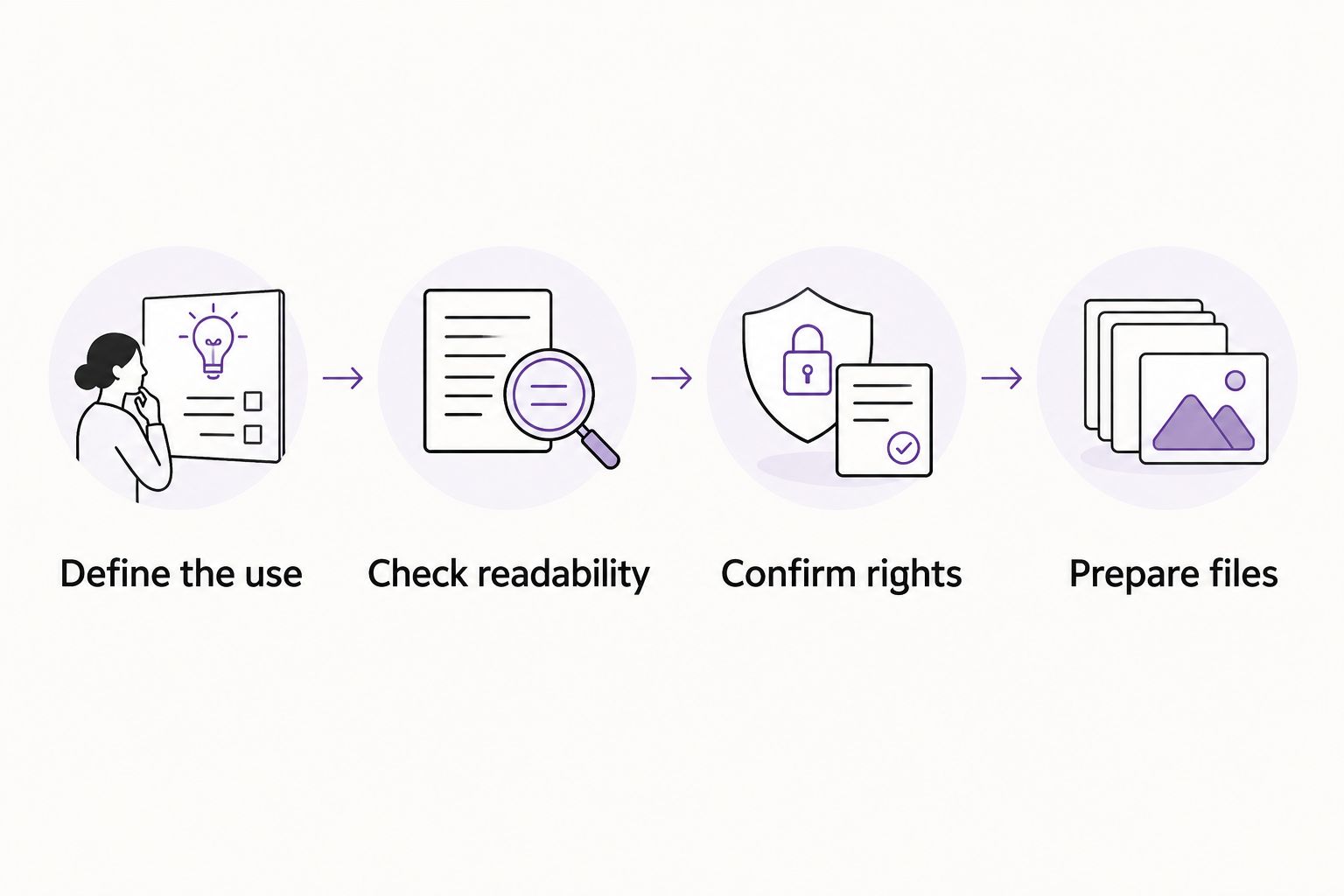
Use this sequence for a new logo or a 2026 refresh. It separates choosing an attractive concept from confirming that you can actually use it.
Define the use
Write down where the logo must appear. Include your website header, a business document, and a social profile if those are part of your business.
Choose 3 real placements for the first check. Use actual layouts rather than viewing every option on an empty design canvas.
Check readability
Test a website version at 24 pixels high as a practical starting check, then inspect it at your actual header size. This is a test recommendation, not a universal minimum.
Check the business name first. A symbol that looks interesting does not compensate for lettering customers cannot read.
Confirm rights
Identify which parts are original and which come from a font, template, or asset library. Read the relevant terms for the intended use.
Software access is not the same as permission to claim exclusive rights to every included element. For trademark questions, seek qualified legal advice.
Prepare files
Check 2 color versions: the main version and a single-color version. Confirm that both remain understandable on the backgrounds where you plan to place them.
Keep editable artwork separate from exports prepared for everyday use. Give files clear names so you can identify the correct version later.
A failed check is a reason to revise the work, not automatically a reason to change software. First identify whether the problem is the design, the permissions, or the export.
How this shortlist is ranked
This 2026 ranking puts owner effort first for the default recommendation, then separates tools by drawing control and workflow. Canva leads for straightforward DIY editing; Adobe Illustrator serves custom vector construction; Inkscape serves an open-source vector workflow.
The ranking does not claim measured performance, user satisfaction scores, or guaranteed design quality. Your ability to produce readable, usable, properly licensed artwork matters more than the editor's reputation.
Which logo design tool should you choose?
Choose Canva if you want a manageable DIY starting point. Choose Adobe Illustrator if you need detailed custom vector work and have the skill to use it. Choose Inkscape if an open-source SVG workflow fits how you want to work.
Choose hiring help when uncertainty about your message or visual direction is the real obstacle. Another editor will not resolve an unclear brief.
For branding and website help together, discuss those decisions with MORSE LLC. Start with the business need, then agree on what work belongs in scope.
Discuss your branding and website
Talk with Julian about the work you need, your budget, and your timeline.
FAQ
What's the best logo design tool for a small business in 2026?
Canva is the default recommendation for straightforward DIY editing. Adobe Illustrator suits custom vector construction, while Inkscape suits owners who want an open-source vector workflow.
Is Canva better than Adobe Illustrator for a business logo?
Canva is better suited to template-led DIY editing; Adobe Illustrator is better suited to detailed custom vector work. Choose according to the work you need and the skills available.
Can I make a business logo with Inkscape?
Yes, Inkscape supports vector drawing and SVG editing for logo artwork. You still need to check readability, font and asset permissions, and the files required by each intended use.
Can I trademark a logo made from a template?
A template-based logo requires careful rights review before you pursue trademark registration. Check the terms for every included element and consult qualified legal counsel about protectability and ownership.
What files should I ask a logo designer to provide?
Ask for editable source artwork and exports suited to your website and other intended uses. Confirm the formats, color versions, and usage instructions in the agreed scope before work begins.
Should I hire a designer instead of using a logo maker?
Hire a designer when you need help deciding the visual direction, creating custom artwork, or preparing dependable deliverables. DIY suits owners who have a clear direction and time to execute it.
Do I need a new logo when I redesign my website?
No, a website redesign does not automatically require a new logo. Keep the existing mark if it remains appropriate and usable; address file quality or layout problems separately.
One last thing
Before approving a 2026 logo, put it on a real inquiry page beside your service description and contact action. Ask whether the whole page makes your business easier to understand.
A logo is one part of that answer. Do not keep redesigning the mark to solve a problem in your message or website.