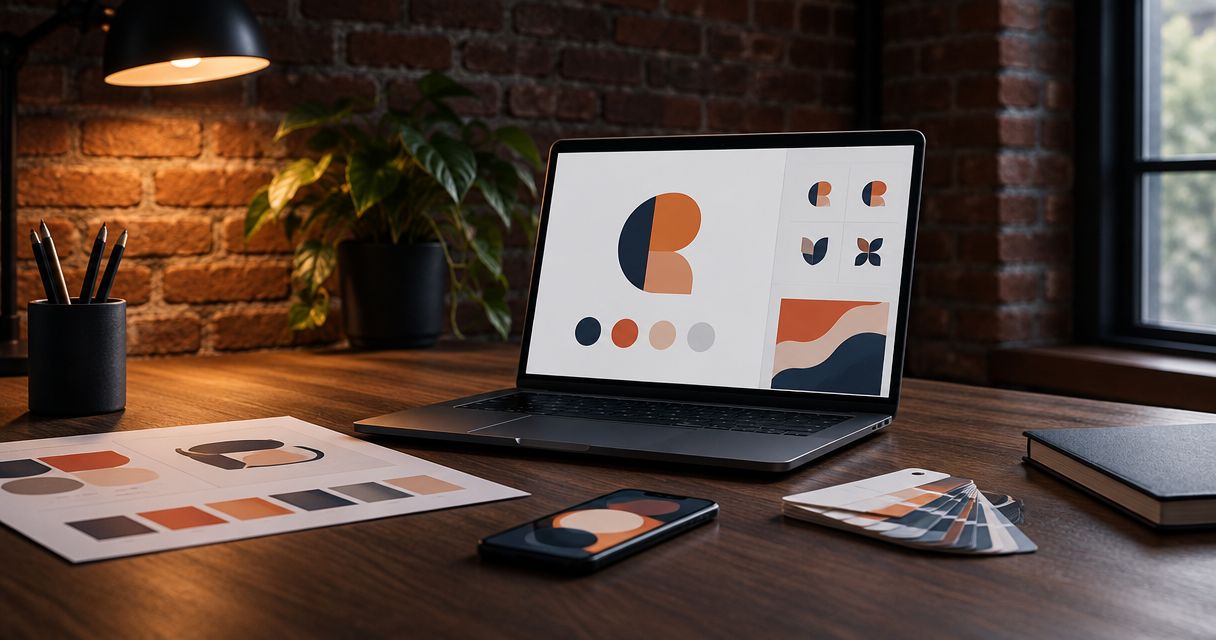
You should receive reusable logo files, the agreed logo variations, color specifications, font details, basic usage guidance, and written terms covering ownership and licensing. For a 2026 branding handoff, ask for vector artwork plus transparent image files that you can use on your website and business materials. Editable source files, font software, and third-party assets need separate agreement; they are not automatically included.
- Brand identity design services should deliver usable artwork, clear specifications, and written usage rights—not just presentation mockups.
- Request vector logo files for resizing and transparent PNG files for everyday digital use.
- Confirm editable source files and font licensing before approving the project scope.
- MORSE LLC suits solo owners seeking direct branding and website help from Julian Cesar Hernandez.
Why this matters
A logo presentation shows an idea. A useful handoff lets you put that idea to work without rebuilding the artwork or guessing which file to send.
For a solo service business in 2026, the immediate test is practical: can you update your website, send artwork to a printer, and prepare a readable proposal? Your designer should explain which delivered files support those tasks.
MORSE LLC is best for solo owners who want direct help from Julian Cesar Hernandez with branding and websites. You can discuss scope around your budget and timeline through MORSE LLC. Use the checklist below to define the handoff, rather than assuming every deliverable belongs in every project.
What files should you receive from a brand identity designer?
Your handoff should contain the approved identity in usable formats, instructions for applying it, and the permissions needed for the agreed uses. The exact contents belong in your written scope.
| Deliverable | Best for | What to confirm | Limitation |
|---|---|---|---|
| SVG vector logo | Websites and scalable digital artwork | Correct appearance and usable exports | Some upload tools do not accept SVG |
| EPS vector logo | Suppliers requesting EPS artwork | Compatibility with the supplier’s workflow | Not an everyday website image format |
| Vector PDF | Reviewing artwork and exchanging print files | Artwork remains vector where needed | A PDF can contain raster images instead |
| Transparent PNG | Documents and digital placements | Suitable dimensions and transparent background | Enlarging it can reduce sharpness |
| JPEG | Photographic or solid-background previews | Background color and intended use | Does not support transparency |
| Editable source file | Future design changes | Application, version, assets, and inclusion in scope | Requires compatible software and permissions |
| Brand guide | Consistent use by you and suppliers | Color codes, type details, and logo rules | Instructions do not replace usable artwork |
Do not request every format simply to make the folder look complete. Request the formats your actual tools and suppliers need, then ask the designer to identify the right file for each job.
Vector masters: artwork you can resize
Vector artwork describes shapes rather than storing the entire image as a fixed grid of pixels. That makes it useful when the same logo needs to appear on a small document and a larger sign.
SVG, EPS, and PDF can carry vector artwork, but the extension alone does not prove the logo is vector. A photograph placed inside a PDF is still a raster image.
Ask your designer to confirm that the logo artwork remains scalable. Keep an untouched master copy, even if you rarely open it yourself.
Transparent exports: files you can use yourself
Transparent PNG files are useful when you place a logo over a document or website background. They avoid the visible rectangular background that comes with a JPEG.
Ask for exports sized for your intended placements. A tiny image downloaded from a website is not a substitute for the original delivery files.
Keep light and dark versions clearly labeled. A white logo can appear missing when you preview it against a white background, even though the file itself is correct.
Editable originals: agree before work begins
An editable source file preserves the working artwork in a design application. It can help another designer make changes later, but it is different from a finished export.
Confirm whether the source file is included, which software opens it, and whether it depends on linked images or installed fonts. An application-specific file is less useful when the supporting assets are missing.
For a 2026 project agreement, distinguish delivery of the source file from permission to edit and reuse its contents. Possession of a file does not settle every licensing question.
Logo variations: agree on useful layouts
You do not need an endless collection of nearly identical logos. You need approved versions that fit the places your business will actually appear.
For planning, consider 3 logo layouts: a primary arrangement, an alternate arrangement, and a compact mark. This is a discussion checklist, not a required package size; some identities do not need or support a separate compact mark.
- Primary arrangement: the default version for your main business materials.
- Alternate arrangement: a different proportion for spaces where the primary arrangement does not fit.
- Compact mark: a simplified identifier for small placements, if the design supports one.
Ask which version to use on a light background, a dark background, and in a single color. These are use cases, not a reason to commission unnecessary artwork.
The key test is legibility. If a detailed logo loses its wording in a small placement, request guidance rather than squeezing the same file into every available space.
Color specifications: cover digital and print uses
Your guide should identify the approved colors with written values, not just colored squares. Screenshots and visual guesses are poor substitutes for specifications.
Discuss 2 color modes: RGB and CMYK. RGB supports screen-based work, while CMYK is commonly used in process printing; ask for HEX values for website implementation as well.
Printed results depend on the printing process, material, and production setup. A screen preview does not guarantee an identical printed appearance.
If a supplier requests a spot-color reference, ask whether specifying one belongs in your project. Do not assume every small-business identity needs that extra production detail.
Keep the color values beside the approved artwork. Your website developer and print supplier should not have to sample a color from a logo preview and guess whether it is correct.
Font details: names, roles, and licensing
A font name alone is not enough guidance. Ask which typeface and weight belong in headings, body text, and any other agreed text styles.
Record whether you need a desktop license, a web license, or another permission for the intended use. Font licensing depends on the particular typeface and its terms.
Your designer should distinguish the typography used in the logo from the fonts you will use to write new material. A logo with outlined lettering does not provide an editable font for your proposals or website.
Before paying for font software, check what your existing publishing tools support. If you need an accessible substitute within those tools, agree on the substitute rather than choosing a vaguely similar font later.
Usage guidance: enough to make decisions
A useful guide tells you what to do when the designer is not present. It does not need to become a long presentation that you never consult.
Ask for guidance covering:
- Which logo arrangement is the default.
- Which backgrounds work with each version.
- How much clear space to leave around the artwork.
- How small the logo can appear while remaining readable.
- Which color and typography combinations to use.
- Which changes to avoid, including stretching or recoloring.
Any minimum-size rule should come from the actual artwork, not a generic number copied from another identity. Ask the designer to show the logo in your likely small-format uses.
For new businesses, the brand identity design services for a new business guide helps frame the scope before you request extra applications. Start with the work your launch needs.
Why brand identity deliverables vary
Brand identity design services cover different amounts of work. Compare the written deliverables, not the size of the presentation or the number of preview images.
- Business stage: a launch project and an established-business refresh start with different existing materials.
- Intended uses: a website, printed stationery, and signage place different demands on the artwork.
- Logo structure: a simple wordmark and a detailed illustration need different small-format guidance.
- Editing responsibility: your future ability to make changes affects source-file and software requirements.
- Third-party assets: fonts, photographs, and illustrations bring their own permissions.
- Agreed scope: templates, messaging, and implementation are separate work unless the agreement includes them.
When discussing a MORSE LLC project, identify the applications you need and the decisions you want help making. Branding and website work can share a brief, but each still needs a clear delivery list.
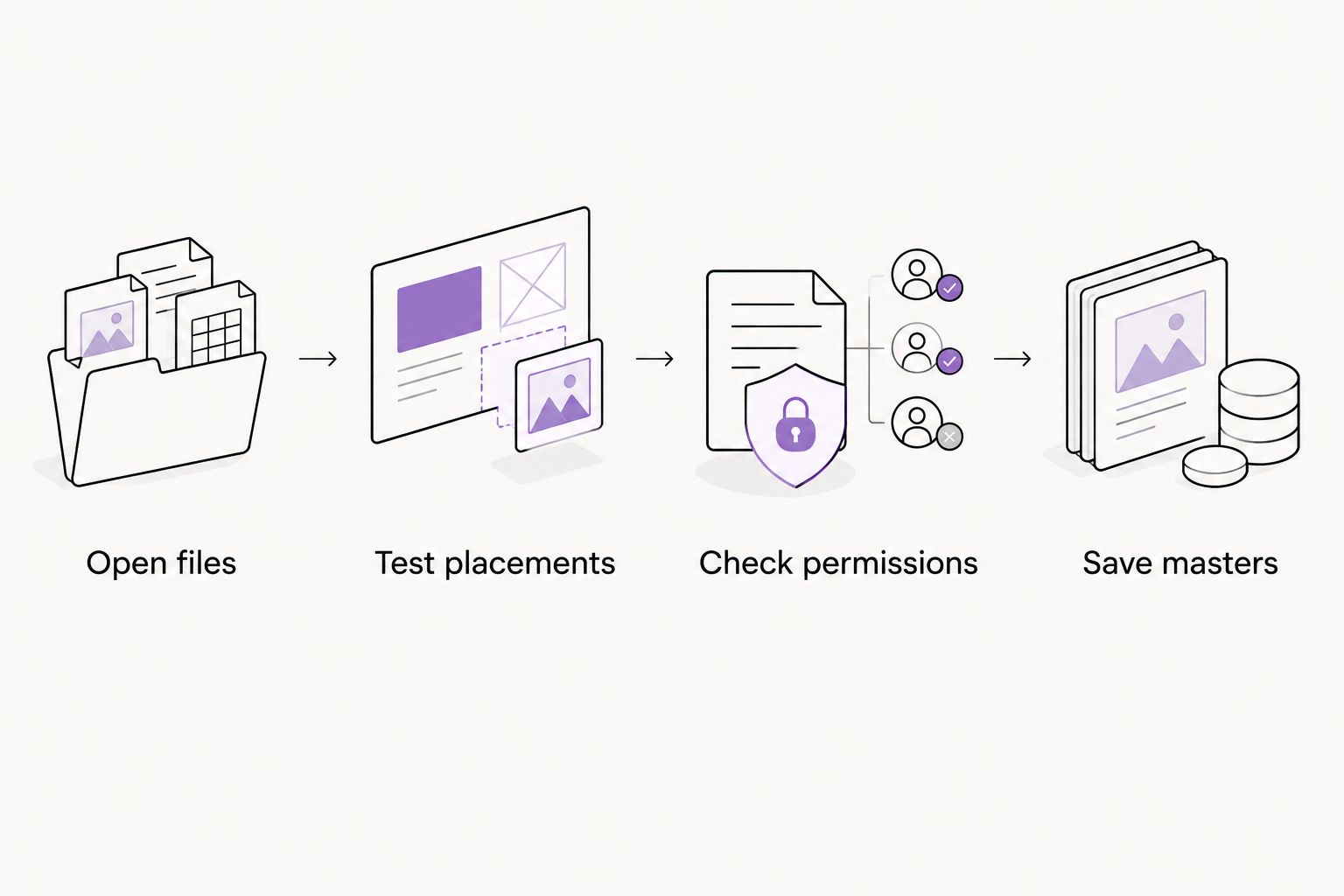
How do you check the files before approving the handoff?
Set aside 1 review session to test the delivery against the scope. This is a practical checkpoint, not a technical inspection that requires design software.
Open files
Extract the delivery folder and open the everyday-use exports. Confirm that the business name is correct and that each file matches the approved design.
Do not judge a specialist source file solely by whether your computer previews it. Ask which application opens it and which export you should use instead.
Test placements
Place the appropriate logo in a website draft, a document, and any other agreed application. Check small text, background contrast, and whether the file has unwanted empty space.
A useful 2026 handoff includes instructions you can follow in your current tools. Ask for clarification when a file works in the designer’s preview but not in your intended workflow.
Check permissions
Read the ownership and licensing terms alongside the asset list. Confirm which elements are original work and which rely on third-party permissions.
For legal questions about the agreement, use qualified legal advice. A folder label saying final does not explain the rights attached to its contents.
Save masters
Keep the original delivery separate from your working copies. Store the guide and permissions with the artwork so a future supplier receives the relevant context.
Should you handle the handoff yourself or hire help?
Choose based on who will make decisions and maintain the files, not on a promise that one route always produces better work.
| Route | Best for | Practical advantage | Trade-off |
|---|---|---|---|
| DIY website builder | Owners implementing an existing identity | Direct control over supported website settings | Website editing does not replace identity artwork or licensing decisions |
| Freelance designer | Owners with a defined design brief | A direct relationship around a specific assignment | Deliverables and continuing support depend on the agreement |
| Small branding or web agency | Owners coordinating connected design and website needs | Scope can address both identity and implementation | Coordination and included work still need explicit boundaries |
MORSE LLC is a one-person agency, so discuss priorities directly with Julian Cesar Hernandez. Confirm the scope around your budget and timeline without assuming every template, export, or implementation task is included.
Discuss your branding scope
Talk through the branding and website work your business needs, including the handoff.
Are mockups enough for a brand identity handoff?
Mockups are not enough for a usable handoff. They show how a design might appear on a sign, document, or screen, but they do not replace the underlying artwork.
Keep them as references if included. Ask for the production files separately, along with instructions identifying their intended uses.
Do you need a brand guide for a small service business?
A small service business needs usable instructions, not necessarily an extensive manual. A concise guide can be sufficient when it covers the approved logo, colors, typography, and common applications.
Judge the guide by whether you can make the next decision correctly. Page count is not the goal.
FAQ
What files should I ask a brand identity designer to deliver?
Ask for agreed vector logo files, transparent image exports, logo variations, color specifications, font details, usage guidance, and written rights. Confirm editable originals separately in the scope.
Is a PNG logo enough for my small business?
A PNG logo is useful for everyday digital placements, but it should not be your only master artwork. Request vector artwork for scalable uses and supplier handoffs.
Should my designer give me the original editable file?
Your designer should provide the original editable file when the agreement includes it. Confirm the application, supporting assets, and permission to make future changes.
Do I own the fonts used in my logo?
Receiving logo artwork does not automatically give you a license to install or use the underlying font software. Check the typeface’s license and your intended uses.
What is the difference between a brand guide and logo files?
A brand guide explains how to apply the identity; logo files are the artwork you place in your materials. A useful handoff includes both when they are part of the agreed scope.
Can I give the delivered files to a website designer?
You can share files for website implementation when the applicable agreement and licenses permit that use. Include the color specifications, typography instructions, and relevant permissions.
What should I do if my branding delivery only contains mockups?
Compare the delivery with your written scope and request any agreed artwork that is missing. If production files were not included, define the additional deliverables before authorizing more work.
One last thing
The best handoff is the one another person can use without guessing. Before closing your 2026 project, write a short request to a future website designer or printer and attach the files you would send.
If you cannot tell which logo to attach, which colors to specify, or what permissions apply, ask your designer to resolve that gap. A clearly labeled folder is more useful than another polished mockup.