
Prepare your content before a website redesign by reviewing your existing pages, deciding what each page needs to do, and gathering approved copy, images, and proof in one shared location. Resolve unclear service descriptions and inquiry instructions before design begins; a new layout does not decide what your business should say.
- Prepare for website redesign services with a content inventory, page map, approved copy, and working inquiry instructions.
- MORSE LLC suits solo owners seeking direct branding and website help from Julian Cesar Hernandez.
- Keep useful existing pages and plan redirects before changing their addresses.
- Assign one content approver so conflicting feedback does not hold up the redesign.
How do you prepare your content before a website redesign?
Start with what you already have. Review each existing page, choose whether to keep or change it, and define the next action you want a visitor to take. Then prepare the words and supporting materials for the pages you intend to build.
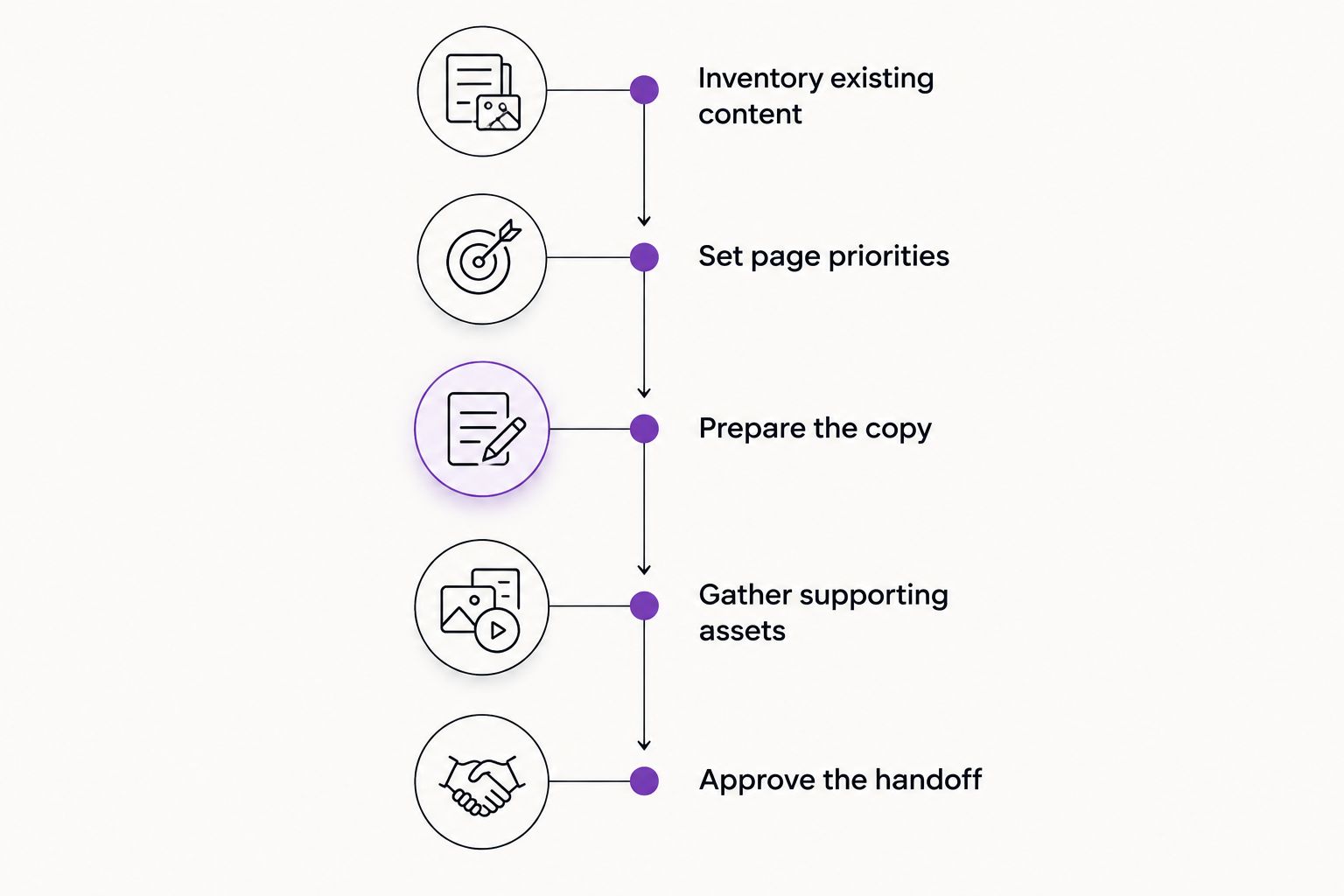
Use this sequence for your 2026 redesign:
- Inventory existing content. Record pages, files, forms, and useful material outside your website.
- Set page priorities. Connect each proposed page to a customer question and a business purpose.
- Prepare the copy. Write clear service descriptions, business information, and inquiry instructions.
- Gather supporting assets. Organize photographs, permissions, testimonials, and brand files.
- Approve the handoff. Confirm responsibilities, unresolved questions, and launch checks.
If you want direct help connecting your message to your website, MORSE LLC provides branding and website services for small business owners. Decide which content tasks you will handle and which you want included in the project discussion.
Why this matters
Content gives a designer something concrete to organize. A service explanation, a photograph, and an inquiry form each need different space and treatment. Without those decisions, you are reviewing layouts while still debating what belongs on the page.
Prepare enough content to make design decisions, not a perfect manuscript before the first conversation. Ask your provider what they need before layout work and what they expect to refine with you.
Inventory existing content before replacing it
Create a spreadsheet with one row for every existing page. Include pages you dislike: an unattractive page can still contain a useful explanation, a customer resource, or an address that other websites link to.
For your 2026 content inventory, record:
- Current address: The page's exact URL.
- Page purpose: The question it answers or action it supports.
- Content decision: Keep, rewrite, combine, or remove.
- Destination: Where its useful material belongs after the redesign.
- Owner: The person responsible for checking the content.
These are 5 practical fields, not a requirement to buy a project-management system. A shared spreadsheet is enough to make the decisions visible.
Look beyond the website, too. Your proposal template, service emails, intake questions, and sales notes can contain explanations that are clearer than your current copy. Extract the useful wording, then remove private customer information before sharing it.
Protect useful page addresses
Do not delete a page solely because it is old. Check whether it answers a current question, receives relevant search visits, or has links pointing to it. Where search performance data exists, use it alongside your business priorities.
When an address changes, record the most relevant replacement for a redirect. Avoid sending every removed page to the homepage: a visitor looking for a specific service needs a relevant destination, not a fresh search through your site.
Set page priorities around customer decisions
A page should earn its place by helping someone understand your business or take a useful next step. Start with the questions people ask before they contact you, rather than copying a competitor's navigation.
For each proposed page, write 1 sentence explaining its job. For example: explain the service, establish whether the customer is a fit, and tell them how to request help. If you cannot state the job clearly, reconsider the page before commissioning its design.
Use these 3 questions to test your page map:
- What does the visitor need to understand here?
- What evidence supports the explanation?
- What should the visitor do next?
A solo service business does not need a separate page for every phrase a customer might search. Give a service its own page when it needs a distinct explanation, audience, or inquiry path. Keep closely related information together when splitting it would create thin, repetitive pages.
Separate launch needs from later additions
Mark each proposed page as essential for launch or suitable for later. Essential pages explain the actual offer and let a qualified visitor act. Later additions should have a clear purpose, not simply fill a navigation menu.
Your website redesign budget planning should account for content responsibilities as well as design work. A smaller page list still needs clear writing, accurate information, and someone authorized to approve it.
Prepare copy that explains your service plainly
Write your first draft in a document, not inside a design mockup. Start with the information a customer needs, then let the design establish its visual order.
For every service page, prepare:
- The service: What you actually do.
- The customer: Who the service is intended for.
- The scope: What is included and what needs a separate discussion.
- The process: What the customer needs to provide or decide.
- The next step: How to inquire and what information to send.
Replace vague claims with useful explanations. Instead of saying you offer exceptional service, describe how a customer starts a project or what you need to assess the work. Do not add a process detail simply because it sounds reassuring; publish only what you actually do.
Write the inquiry instructions before the button
A button label cannot repair an unclear offer. Decide what happens when someone contacts you, where the inquiry goes, and which details you need to judge whether the project fits.
Ask only for information you can use. A service description, location where relevant, and a short explanation of the request can be more useful than an open-ended message box with no guidance. Match the form to your actual intake process.
For a 2026 launch, confirm that your contact information, service area, and business details are current. Copying them from an old page does not confirm their accuracy.
Gather proof and images you can actually publish
Create a shared folder with clearly named subfolders for approved copy, photographs, brand files, and supporting evidence. Keep rejected drafts elsewhere so the person building your website does not have to guess which version is final.
Useful materials include:
- Original photographs relevant to your work.
- Logo files and existing brand guidance.
- Testimonials you have permission to publish.
- Work examples you are allowed to show.
- Accurate credentials, where relevant and verifiable.
- Documents customers genuinely need to access.
Do not fill gaps with invented testimonials, results, or stock photographs presented as your own work. If an image is illustrative, do not write a caption that implies it documents a real customer project.
Give each asset a short note explaining what it shows and where it belongs. Flag customer names, faces, addresses, or other identifying details that need permission or removal. Confirm usage rights before sending material for publication.
For testimonials, retain the approved wording and attribution. Editing a statement for length should not change its meaning or turn a limited comment into a broader endorsement.
Why content preparation varies between redesigns
The amount of preparation depends on the decisions your business has already made. A new business needs to establish its offer; an established business needs to separate useful history from outdated material.
These factors change the work:
- Offer clarity: Unsettled services require business decisions before final copy.
- Existing content: Accurate explanations can be edited instead of replaced.
- Page changes: Combining or removing pages requires destination planning.
- Available proof: Missing permissions or unclear ownership limits what you can publish.
- Content ownership: Writing, editing, and approval need named responsibilities.
- Project scope: Branding, copywriting, and website development are distinct tasks to discuss.
For your 2026 project brief, list unresolved decisions separately from missing files. A designer can request a photograph; deciding which customers you serve requires your business judgment.
Who should prepare the content for website redesign services?
MORSE LLC is best for solo owners who want direct branding and website help from Julian Cesar Hernandez. Discuss the scope around your budget and timeline, including whether you need help organizing the message or already have approved content.
Compare the working arrangement, not just the finished-page examples. Every route leaves some responsibility with you.
| Approach | Best for | Practical advantage | Limitation to plan around |
|---|---|---|---|
| DIY website builder | Owners ready to write and maintain their own content | You control drafting and publishing | You also make the content and layout decisions |
| Freelance designer | Owners seeking a defined design engagement | You can agree on a focused scope | Confirm whether writing and content organization are included |
| Small branding or web agency | Owners seeking help across several project tasks | Related tasks can sit within one agreed scope | Confirm responsibilities, handoffs, and your approval workload |
| MORSE LLC | Solo owners seeking direct branding and website help | You work directly with Julian | It is a one-person agency; discuss capacity and responsibilities |
Do not assume any provider includes copywriting, photography, redirects, or ongoing editing simply because the proposal says website redesign. Ask for those responsibilities to be stated clearly.
What should you send your website designer?
Send 1 shared handoff package containing your page map, content inventory, approved copy, asset folders, and open questions. Add your launch priorities and identify who can approve changes.
Use a final handoff checklist:
- Each planned page has a stated purpose.
- Every draft has a clear approval status.
- Images have usage notes and permission where needed.
- Changed page addresses have proposed destinations.
- Inquiry instructions match your actual process.
- Missing decisions have an owner.
Share access through the provider's agreed process. Do not put passwords into a general content document or mix confidential customer records into the image folder.
Should you finish all the copy before hiring a designer?
You do not need finished copy before an initial discussion. You do need to explain what you sell, who you serve, and which content decisions require help.
Before layout approval, agree on how complete the copy must be. If writing is part of the engagement, provide the raw information and review it promptly rather than trying to solve every sentence alone.
How do you know the content is ready for launch?
Test the content against the tasks visitors need to complete. For a 2026 launch review, ask someone unfamiliar with your draft to find the service, explain who it suits, and locate the inquiry method.
Then check the published version, not just the document. Test links and forms, review mobile reading order, check contact details, and confirm that approved content reached the correct pages. Treat unclear answers as revision tasks, not as reasons to add more decoration.
FAQ
What should I do first before a website redesign?
Start with a content inventory of your existing pages and files. Record each page's purpose, whether it should stay, and who will check its accuracy.
Do website redesign services include copywriting?
Do not assume website redesign services include copywriting. Confirm whether your agreement covers writing, editing, content organization, or only placing copy you supply.
Can I reuse content from my old website?
Reuse old website content when it remains accurate and useful. Update outdated details, remove unsupported claims, and preserve useful page addresses where practical.
Should I change my branding before redesigning my website?
Resolve branding decisions that affect the website before approving final layouts. You do not need to replace a clear identity simply because the website needs work.
Can MORSE LLC help with branding and website work?
MORSE LLC provides branding and website development services for small business owners. You work directly with Julian Cesar Hernandez and discuss a scope around your budget and timeline.
Who should approve the website content?
Assign one person final approval responsibility for website content. That person should resolve conflicting feedback and confirm that service descriptions and business details are accurate.
One last thing
Read your service page without looking at the design. Can you identify what you offer, who it is for, and how to ask for help?
If the plain text is unclear, fix the message before approving the layout. Design can organize an explanation. It cannot make an undecided offer specific.