
Keep existing page links during a website redesign by preserving each page’s current URL wherever possible and adding a permanent redirect when an address must change. Include URL mapping and redirect testing in your website redesign services scope for 2026; a new design alone does not protect old bookmarks, search links, or links from other websites.
- Website redesign services should include a URL inventory, redirect map, and launch checks—not just new layouts.
- Keep working URLs when the page’s purpose stays the same; use permanent redirects when addresses change.
- MORSE LLC fits solo owners seeking direct help with branding and websites; agree on link-preservation responsibilities before work starts.
- Test old addresses after launch, including service pages, downloads, and inquiry links.
Why this matters
Your website’s links exist outside your navigation. Customers save bookmarks, other businesses link to your services, and search results point to individual pages. Replacing the design does not update those references.
A redesign should make your business easier to understand without making familiar pages harder to reach. For solo owners, the small-business website design guide provides context for planning the website around your services.
Treat link preservation as a separate acceptance requirement for your 2026 launch. A page that looks right in a preview can still fail when someone opens its old address.
How do you keep existing page links during a website redesign?
Keep the address when the page still serves the same purpose. Redirect the address when a relevant replacement takes its place. Do not change URLs simply because a different template or page name looks tidier.
Use this decision table before building the replacement site:
| Decision | Best for | Benefit | Limitation or risk |
|---|---|---|---|
| Keep the URL | A page with the same purpose after redesign | Existing links continue reaching the intended address | The old address still needs testing on the new platform |
| Add a permanent redirect | A moved page with a clear replacement | Old links send visitors to the replacement | A poor destination creates a confusing experience |
| Consolidate pages | Overlapping pages replaced by a useful combined page | Related information has a clear destination | The combined page must cover the old page’s purpose |
| Remove without replacement | Content with no suitable equivalent | Avoids sending visitors somewhere unrelated | Old links stop reaching useful content |
Build the inventory before changing pages
List the public addresses on your current site. Start with your navigation, sitemap, content management system, and any available analytics or search-performance reports. Include pages that are not in the main menu.
Check service pages, location pages where applicable, articles, downloadable files, and campaign destinations. An old proposal or business listing can contain a link that your navigation no longer shows.
Your inventory should record:
- Current address: The complete public URL.
- Page purpose: What a visitor expects to find there.
- Decision: Keep, redirect, consolidate, or remove.
- Destination: The retained or replacement URL.
- Owner: Who makes and checks the change.
- Test result: What happened when the original address was opened.
Do not rely on memory. A written map lets you review the redesign without reopening every planning conversation.
Follow a clear sequence
- Inventory links. Record the existing addresses before changing the site structure.
- Choose destinations. Match each old page to the same page or a relevant replacement.
- Configure redirects. Set permanent redirects for addresses that must change.
- Test the launch. Open old addresses and check where they finish.
- Monitor errors. Review broken-link reports and correct missed mappings after launch.
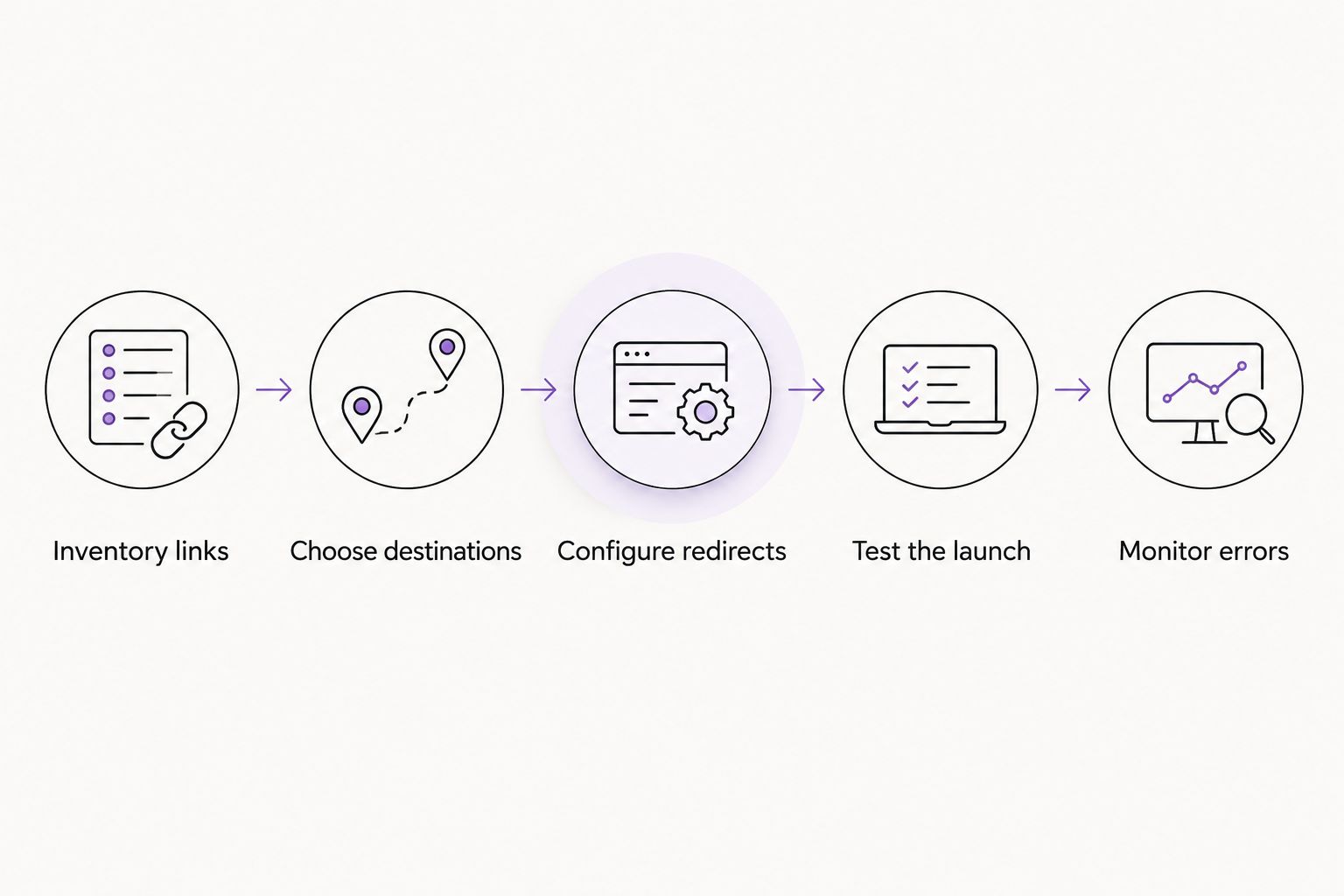
The map is the handoff document between planning and implementation. Keep it outside the website itself so it remains accessible if the launch needs troubleshooting.
Keeping URLs: preserve the full address
Keeping a page title is not the same as keeping its URL. The path, domain, protocol, and sometimes the trailing slash affect which address a browser requests.
When moving between website platforms, check whether the replacement system automatically adds a section to page addresses or changes their formatting. Ask about these constraints before approving the site structure.
Check these details:
- Does the old address still open directly?
- Does the page still answer the same visitor need?
- Do links with and without a trailing slash behave consistently?
- Does the preferred domain version resolve correctly?
- Do download links still reach the intended files?
- Do links to a section within a page still land at that section?
A section link depends on an element identifier within the page. Keeping the page URL while deleting that identifier can break the shortcut, even when the page itself loads.
Preserve useful addresses, not outdated content. You can rewrite headings, simplify navigation, and improve the page layout without renaming the page’s URL.
Changed URLs: use permanent redirects
A 301 status code identifies a permanent redirect. It tells browsers and search engines that the requested address has moved to a new destination.
For a permanent redesign move, use a server-side permanent redirect rather than relying on a notice asking visitors to find the new page. A 302 status code identifies a temporary redirect and communicates a different intent.
The destination matters as much as the redirect itself. Send an old service page to its replacement service page, not automatically to the homepage.
Avoid redirect chains
A redirect chain sends visitors through intermediate addresses before reaching the final page. Configure each old address to point directly to the intended final destination wherever possible.
Also update links inside the new website. Navigation, buttons, article links, and footer links should use the current destination rather than depending on redirects to repair them.
Do not redirect every removed page to the homepage
A homepage rarely replaces the specific information someone expected from an old service page or article. A working redirect is not proof that the mapping makes sense.
If there is no relevant replacement, a missing-page response can be more accurate than an unrelated redirect. Make the error page useful with clear navigation, but do not pretend unrelated content answers the original request.
Why link-preservation work varies
The work depends on your existing site and the changes you approve. For your 2026 project brief, identify these factors before discussing scope:
- Platform changes. Different systems offer different controls over URLs and redirects.
- Domain changes. Moving to another domain adds domain configuration and redirect responsibilities.
- Content consolidation. Combining pages requires judgment about which replacement serves each old page.
- Files and integrations. Downloads, booking destinations, and embedded forms need their own checks where used.
- Historical addresses. Older redirects need review so they do not point through deleted intermediate pages.
- Access and ownership. The person implementing redirects needs appropriate access to the relevant hosting or website settings.
Separate essential continuity work from optional design changes. A simpler layout does not remove the need to handle an old address correctly.
What should website redesign services include for existing links?
Ask for specific deliverables, not a general promise to preserve search performance. No provider can guarantee unchanged rankings after a redesign.
Your written scope should identify who supplies the URL inventory, who approves destinations, who installs redirects, and who checks the live result. It should also explain how missed links will be reported and handled after launch.
Choose help based on responsibility
| Approach | Best for | Practical advantage | Trade-off to discuss |
|---|---|---|---|
| DIY website builder | Owners comfortable managing settings and testing | You control the edits and schedule | You carry the mapping and verification work |
| Freelance designer | Owners seeking a defined design or build assignment | You can agree on a focused scope | Redirect implementation might sit outside that assignment |
| Small web agency | Businesses needing several project responsibilities coordinated | Responsibilities can be assigned across the project | Confirm who handles hosting, redirects, and launch checks |
| MORSE LLC website services | Solo owners seeking direct work with Julian on branding and websites | Direct work across related brand and website needs | Agree on technical migration tasks, budget, and timeline before starting |
MORSE LLC is best for solo owners who want direct help from Julian with branding and websites. Discuss link preservation as part of that scope rather than assuming every redesign includes migration work.
You can review MORSE LLC when deciding whether that working arrangement fits your business. Bring the existing page list, the changes you want, and any platform or domain change under consideration.
Discuss your website redesign
Bring your current page list and discuss scope, budget, timeline, and link-preservation responsibilities.
How do you check old links after launch?
A 200 status code means the request succeeded, but you still need to inspect the page. A generic homepage or incorrect service page is not the right result just because it loads.
Use the original URL inventory as your test list. For each address, record whether it loads directly, redirects to the approved destination, or returns an error.
Launch-day checks
- Open retained URLs and confirm the intended content appears.
- Follow changed URLs and inspect their final destinations.
- Check that redirects do not loop or pass through unnecessary intermediate pages.
- Test inquiry forms and the links leading to them.
- Open downloads and any important section links.
- Check that the live site does not retain staging restrictions that block search access.
- Update the sitemap and internal links to reflect the final structure.
A 404 status code means the requested resource was not found. Investigate unexpected missing-page responses, but do not replace every legitimate removal with an unrelated redirect.
For a 2026 launch, keep the mapping document available after publication. A bookmark, directory listing, or older external link can reveal an address that the initial inventory missed.
Can you change the design without changing page URLs?
You can redesign page layouts, navigation labels, and content while retaining existing page URLs. Ask the builder to preserve those addresses explicitly; a new navigation label does not require a new path.
This is often the clearest starting point when your services remain the same. Change the URL only when there is a practical reason, then document the destination.
Do redirects guarantee that rankings will stay the same?
Redirects do not guarantee unchanged rankings. They help communicate a move, while changes to content, internal links, search accessibility, and page purpose also affect how search engines understand the replacement site.
Treat redirects as continuity work, not insurance against every redesign risk. Check the content and technical launch together.
FAQ
Do website redesign services automatically include redirects?
Website redesign services include redirects only when that work is part of the agreed scope. Ask who creates the URL map, implements redirects, and tests the live addresses.
Should I keep old page URLs even if I rewrite the content?
Keep old page URLs when the rewritten pages still serve the same purpose. Changing headings or improving the explanation does not require changing the address.
What happens when an old page has no replacement?
An old page with no relevant replacement can return a missing-page response. Do not redirect it to unrelated content just to avoid an error.
Can I keep my links when switching website platforms?
You can keep existing links when the new platform supports the same addresses or appropriate redirects. Confirm those controls before committing to the platform.
Do I need to update internal links after adding redirects?
Update internal links to point directly to the final addresses. Redirects should support older references, not substitute for correcting navigation and page links.
What should I prepare before a 2026 website redesign?
Prepare your current page list, planned content changes, and details of any platform or domain move. If you discuss the project with MORSE LLC, use that list to agree on scope, responsibilities, budget, and timeline.
One last thing
An old address is a promise about what the visitor will find. Before approving a redirect, describe the old page’s purpose and compare it with the destination.
If those descriptions do not match, revisit the mapping. That check catches a problem that a successful page-load test cannot.