
Best overall for simple templates: Google Docs. Best for Word-based documents: Microsoft Word. Best for sales proposals: PandaDoc. Best for turning form responses into PDFs: Jotform PDF Editor. This 2026 guide compares the best document generation tools for small business by the work you need to finish, not the longest feature list.
- Google Docs leads the best document generation tools for small business when simple, reusable templates are enough.
- Microsoft Word fits owners exchanging editable Word documents with clients.
- PandaDoc fits proposal workflows that need signatures and document tracking.
- Jotform PDF Editor fits form-to-PDF workflows; review the output before sending.
Why this matters
Document work covers different jobs. Reusing a service proposal is not the same as collecting intake answers, generating a PDF, or requesting a signature. Choose the wrong category and you add another handoff instead of removing one.
For a solo service business, start with the document that blocks your next client step. Fix that document before building a larger system.
MORSE LLC provides branding, website development, marketing, automation services, and a document-generation tool for small business owners. This guide separates those broader business needs from the practical decision about which document tool to use.
What makes the best document generation tools for small business
Use these criteria for your 2026 shortlist. A tool belongs on that shortlist only if it fits a real task you repeat.
- Document fit: Start with your actual output: an editable file, a proposal, a signed agreement, or a completed PDF.
- Input method: Decide whether you will type details yourself, collect answers through a form, or connect another system.
- Editing control: Check how easily you can change wording, tables, page breaks, and reusable sections.
- Client handoff: Your recipient should understand what to read, complete, approve, or sign.
- Maintenance: You need a clear way to update the source template without leaving old versions in circulation.
- Review: Check names, scope, dates, calculations, and legal wording before anything leaves your business.
Pick the tool that removes your repeated step without creating a harder review process. A document that looks finished still needs an owner responsible for its accuracy.
Document generation tools at a glance
| Tool | Best for | Standout feature | Key limitation |
|---|---|---|---|
| Google Docs | Simple reusable templates | Shared editing and familiar document controls | A copied template still needs manual customization |
| Microsoft Word | Word-based client documents | Detailed formatting and mail merge | Merge setup requires organized source data |
| PandaDoc | Sales proposals | Proposal preparation, electronic signatures, and tracking | More workflow setup than a basic document editor |
| Jotform PDF Editor | Form responses turned into PDFs | Mapping collected answers into PDF documents | Output quality depends on form questions and field mapping |
These are different approaches, not interchangeable versions of the same product. Start with the row matching your next task. Then test its limitation against your actual work.
1. Google Docs: best for simple reusable templates
Google Docs is a browser-based document editor with shared editing, comments, and version history. You can create a source document, make a copy for each client, and export the result as a PDF or Word file.
Google Docs is the best default for small business owners who need reusable documents without a separate proposal workflow. It fits a service overview, project brief, meeting summary, or straightforward proposal that you review manually.
Google Docs pros
- Shared editing lets another person review the same document.
- Comments keep wording questions beside the relevant text.
- Version history helps you inspect earlier changes.
- PDF and Word exports support common client handoffs.
Google Docs cons
- Copying a template does not automatically replace client-specific details.
- Repeated manual editing leaves room for an old name or scope to survive.
- A document editor alone does not organize your full approval process.
Best for: You write similar documents repeatedly, but each still needs personal editing.
Keep a clean master template. Mark every field that changes, then inspect the exported file rather than assuming the editing view tells the whole story. Separate internal notes from anything a client should receive.
Verdict: Buy into the simple-template approach when manual review is manageable; skip it when retyping is the main problem.
2. Microsoft Word: best for Word-based client documents
Microsoft Word combines document editing with detailed layout controls and mail merge. Mail merge inserts information from a data source into a main document, making it useful when the structure stays consistent and recipient details change.
Choose Microsoft Word when editable Word files are part of your client handoff. Do not move an established Word-based process into another tool without identifying the specific problem the move solves.
Microsoft Word pros
- Styles help keep headings and text consistent across longer documents.
- Track Changes supports visible edits during review.
- Mail merge supports repeated documents with changing recipient data.
- Editable Word files suit clients who need to revise the document themselves.
Microsoft Word cons
- Mail merge depends on clean, consistently structured data.
- Separately circulated files create version-management work.
- Complex layouts need checking after edits and exports.
Best for: You exchange editable documents or generate repeated correspondence from organized records.
Before adopting mail merge, clean your source fields. A name split inconsistently across records becomes a document problem later. Test missing information as carefully as complete information.
Verdict: Buy into Microsoft Word when document formatting or Word-file exchange drives the decision; skip migration for its own sake.
3. PandaDoc: best for sales proposals and signatures
PandaDoc combines document preparation with electronic signatures and document tracking. It suits a proposal process in which preparing the document, sending it, and collecting a signature belong together.
For your 2026 shortlist, PandaDoc deserves attention when a proposal changes hands through several steps. If your only task is drafting a short letter, a dedicated sales-document workflow adds unnecessary setup.
PandaDoc pros
- Proposal templates provide a repeatable starting point.
- Electronic signatures keep signing within the document workflow.
- Document tracking helps you follow the status of sent documents.
- Reusable content supports consistent proposal sections.
PandaDoc cons
- Templates and reusable sections still require setup and maintenance.
- Product features do not replace clear scope or sound agreement wording.
- A proposal-focused workflow is unnecessary for ordinary internal notes.
Best for: You regularly prepare client proposals that need approval or signatures.
Test the recipient experience before committing. Send a sample proposal to yourself, open it on a phone, and follow the signing steps. Check whether the document makes the decision clear before judging its appearance.
Verdict: Buy into PandaDoc when proposal preparation and signing need one workflow; skip it for simple internal documents.
4. Jotform PDF Editor: best for form-to-PDF documents
Jotform PDF Editor turns information collected through Jotform forms into PDF documents. You arrange the output and map form fields to the information that should appear.
This approach fits a business that collects structured answers before producing a document. Think intake summaries or service-request records, rather than a proposal that needs extensive rewriting for every client.
Jotform PDF Editor pros
- Form responses provide a structured starting point.
- Field mapping reduces repeated copying between a form and a document.
- PDF layouts give collected information a consistent presentation.
- Required form fields help you request essential details before submission.
Jotform PDF Editor cons
- Poorly worded questions produce weak source information.
- Long answers and missing optional fields need layout testing.
- Field mapping does not check whether an answer is accurate or appropriate.
Best for: You repeatedly turn submitted answers into a consistent PDF.
Start with the questions, not the PDF design. Ask only for information the finished document needs. Then test what happens when someone gives an unusually long answer or leaves an optional field blank.
Verdict: Buy into Jotform PDF Editor when form responses drive the document; skip it when every output needs substantial rewriting.
Test your document workflow before committing
Use this sequence to evaluate your 2026 choice. Keep the test narrow enough that you can see what the tool actually improves.
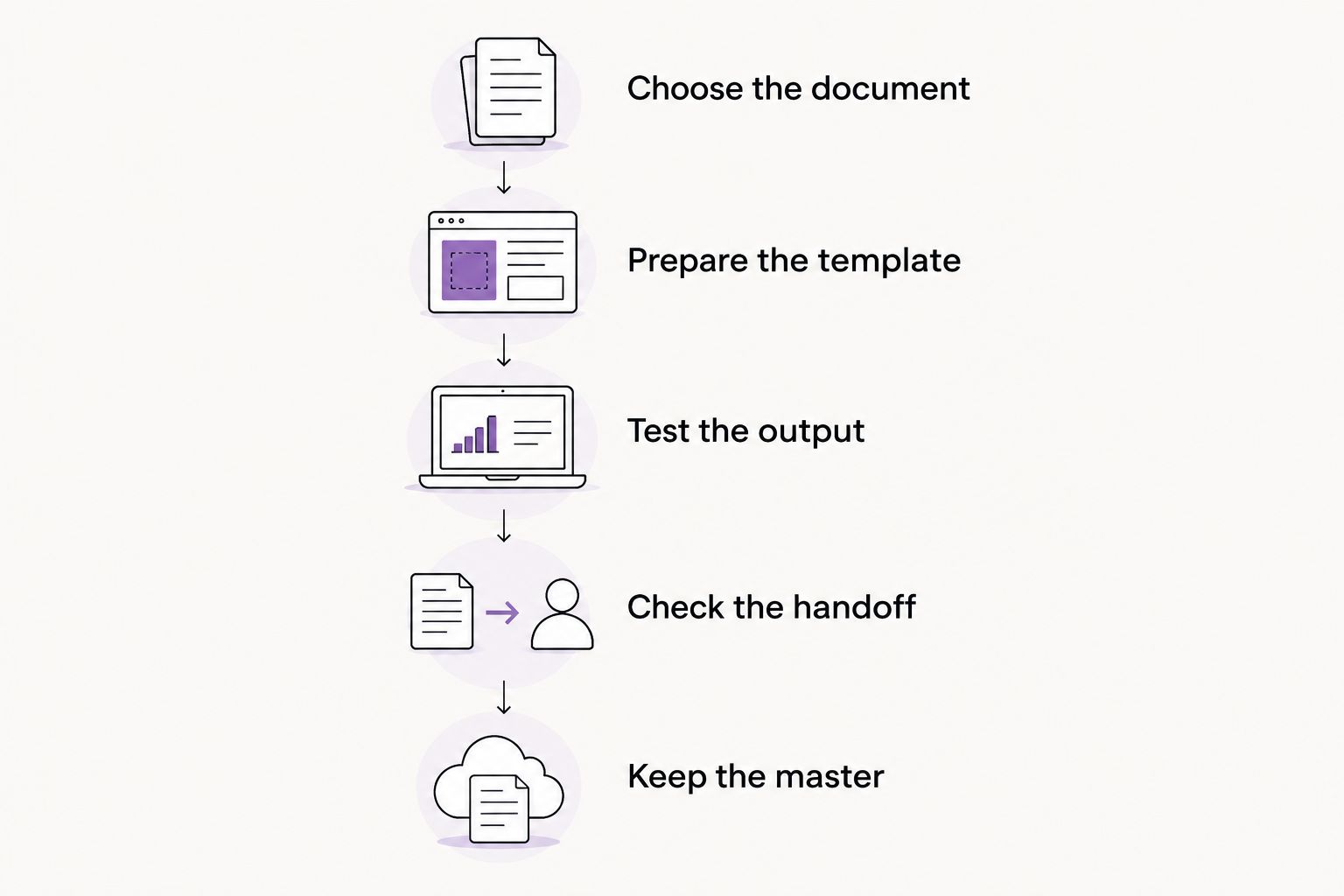
Choose the document
Pick one document you already send or need to launch. Define the recipient and the action you want that person to take. Avoid testing an imaginary process with requirements you have not settled.
Prepare the template
Separate fixed wording from changing information. Identify the fields you must review every time, including the client name, work description, exclusions, and approval instructions.
Test the output
Create 3 sample documents: one routine case, one with missing optional information, and one with a long answer. These are test cases, not claims about how much testing guarantees accuracy.
Check the handoff
Have 2 people review the sample if possible: the person preparing it and someone reading it as a recipient. If you work alone, switch roles and review the exported document separately.
Keep the master
Maintain 1 master template for the chosen workflow. Give it an obvious name, keep client copies separate, and decide who can change its wording.
A useful test ends with a decision. Keep the tool if it removes the repeated work you identified. Reject it if you still do that work elsewhere and now maintain another system too.
When document problems are really branding problems
A tool cannot decide what your business offers or explain an unclear service. If your website promises one thing and your proposal describes another, generating that proposal faster preserves the inconsistency.
MORSE LLC is best for owners seeking direct help from Julian Cesar Hernandez with branding and websites. That is a separate decision from choosing a document editor or proposal platform.
Compare the routes fairly. DIY keeps preparation in your hands. A freelance designer fits a defined design task. A small agency fits work that needs coordinated branding and website decisions. With MORSE LLC, discuss the scope around your budget and timeline rather than assuming a fixed package.
Discuss your branding and website
Talk through your business, the work you need, and a scope that fits your budget and timeline.
How the tools are ranked
The order favors a practical starting point for a solo owner: simple templates first, then editable Word documents, proposal workflows, and form-driven PDFs. It follows the criteria above rather than treating more features as a better fit.
This is a workflow-based comparison, not a claim of hands-on performance testing. For any 2026 purchase decision, verify current capabilities and account requirements against your test document.
Which document generation tool should you choose?
Start with Google Docs if you are undecided and your documents need manual editing anyway. Choose Microsoft Word for Word-based handoffs, PandaDoc for proposals and signatures, or Jotform PDF Editor for structured form-to-PDF work.
Do not automate unclear wording. Settle your service description, responsibilities, and recipient action first. Then choose the smallest workflow that handles them reliably.
FAQ
What's the best document generation tool for a solo business owner?
Google Docs is the best starting point for a solo owner who needs simple reusable templates and manual editing. Choose a specialized tool when signatures, mail merge, or form-to-PDF generation is the actual requirement.
Is Google Docs better than Microsoft Word for business documents?
Google Docs fits shared browser-based editing, while Microsoft Word fits Word-file exchange and detailed formatting. Choose based on your client handoff and existing document process.
Can I generate business documents from form answers?
Yes. Jotform PDF Editor maps collected form responses into PDF documents. Test long answers, optional fields, and the final layout before sending documents to clients.
Do I need PandaDoc for a basic proposal?
No. A basic proposal can be prepared in a document editor. PandaDoc becomes relevant when proposal preparation, electronic signatures, and tracking need to sit in the same workflow.
Can document generation tools replace legal review?
No. Document generation assembles or formats information; it does not establish whether the wording protects your business or meets applicable requirements. Get qualified legal advice when the document calls for it.
How should I compare document tools in 2026?
Compare document tools using a real template, realistic input, and the final recipient experience. Check editing, exports, signatures where needed, and how you will maintain the source template.
Can MORSE LLC help with branding and a website as well?
Yes. MORSE LLC provides branding and website development with direct work led by Julian Cesar Hernandez. Discuss the work you need, your budget, and your timeline to define the scope.
One last thing
Before generating your next client document, search it for the previous client's name. Then check the exported filename. A polished template still fails if it carries someone else's details.